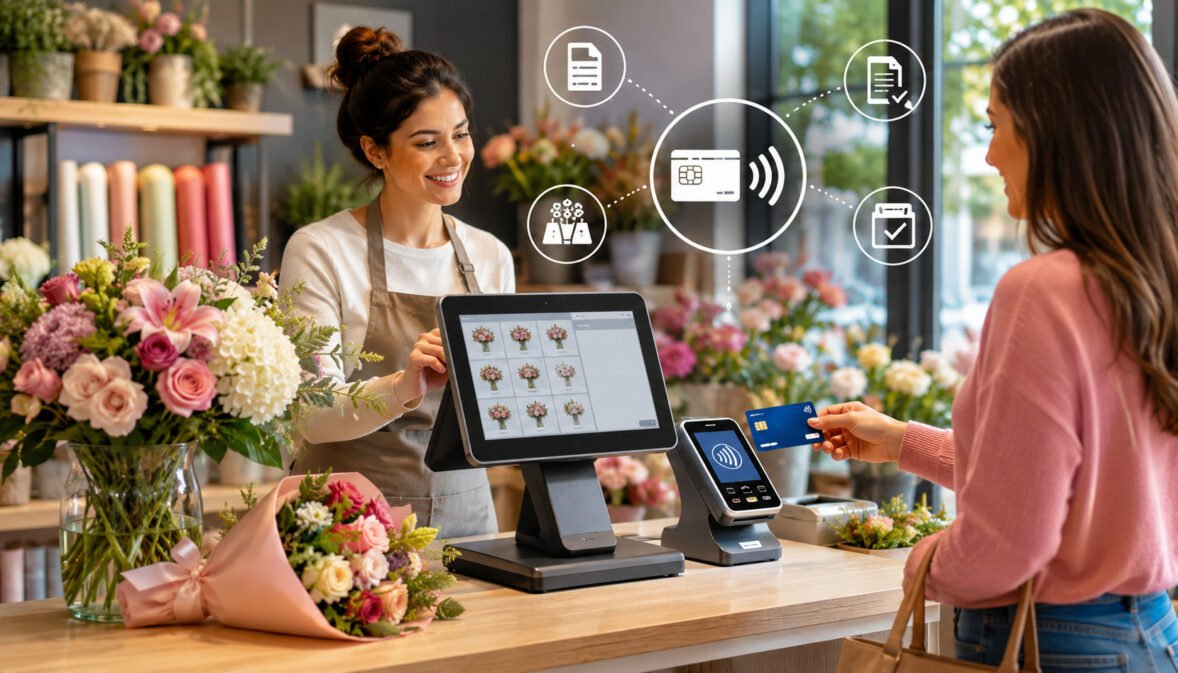
Flower shops handle more than simple retail checkout. A single day can include walk-in bouquets, sympathy arrangements, delivery orders, wedding deposits, event invoices, phone payments, online purchases, custom design requests, substitutions, refunds, and customer follow-ups.
When payment records are separate from order details, staff may spend extra time matching receipts, checking balances, fixing mistakes, and answering customer questions.
That is why integrating credit card payments with floral POS systems has become an important operational step for modern floral businesses.
A connected setup allows payments, orders, receipts, refunds, customer profiles, inventory activity, delivery notes, and reporting to work together instead of living in separate tools. For busy flower shops, this can make checkout faster, reduce manual entry, and create a clearer view of daily sales.
Payment integration is not only about accepting cards. It is about connecting the floral shop checkout system with the way the business actually works.
Florists often sell through many channels: in-store, online, over the phone, through payment links, during deliveries, and through event proposals. A well-integrated system helps each of those sales channels feed into one organized workflow.
For beginners, the idea may sound technical, but the goal is simple: when a customer pays, the POS should automatically know what was sold, how it was paid, who paid, what still needs to be fulfilled, and what should appear in reports. That connection can support better service, cleaner records, and more dependable day-to-day operations.
What Does Integrating Credit Card Payments With Floral POS Systems Mean?
Integrating credit card payments with floral POS systems means connecting a flower shop’s POS software with payment processing tools so transactions flow directly into the same system that manages sales, orders, receipts, customer records, and reports.
Instead of entering a sale in the POS and then separately typing the total into a payment terminal, the POS sends the amount to the payment device or checkout page automatically.
This connection can support card payments, mobile wallet payments, online checkout, secure payment links, invoices, deposits, refunds, delivery balances, and digital receipts.
When the payment is approved, the floral POS records the transaction and updates the order status. That helps staff see whether an order is paid, partially paid, refunded, pending, or ready for fulfillment.
For flower shops, this matters because sales are often more detailed than basic retail purchases. A customer may order a bouquet, add chocolates, include a card message, request same-day delivery, give recipient instructions, and pay by card.
Another customer may make a wedding deposit and pay the remaining balance later. Integrated payments for florists help connect these details with the actual payment record.
A connected setup may include a payment terminal at the counter, an online payment gateway, mobile payment tools for deliveries, and a merchant account that deposits funds into the business account.
How Floral POS Payment Integration Works
Floral POS payment integration begins when a customer selects flowers, plants, gifts, delivery service, event work, or another product or service. The POS calculates the total based on items, delivery fees, service fees, discounts, and applicable charges.
Once the customer chooses a payment method, the POS sends the total to the payment terminal, online checkout, payment link, or virtual terminal.
The customer then pays using an EMV chip card, contactless card, mobile wallet, keyed card entry, online checkout form, or invoice link. The payment processor checks whether the transaction can be authorized. If approved, the POS records the sale, marks the order as paid or partially paid, and generates a receipt.
This process reduces the need for staff to type the amount twice. It also helps prevent mistakes such as charging the wrong total, forgetting to update payment status, or losing track of a receipt. For custom floral orders, payment integration can also connect deposits, balances, refunds, and adjustments to the original order.
Why Florists Need Connected Payment Workflows
Florists often manage fresh inventory, custom design notes, delivery instructions, substitutions, customer preferences, event timelines, and payment details at the same time. A disconnected payment workflow can create confusion because staff may need to check one system for the order, another for the payment, and another for delivery status.
Connected workflows help bring those details together. For example, if a customer pays for a sympathy arrangement online, the POS should show the recipient name, delivery address, card message, product selection, payment status, and order notes.
If staff need to make a substitution, they can review the order and payment details without searching through separate tools.
This is especially helpful for holiday rushes, wedding season, and same-day delivery periods. During high-volume days, even small payment errors can become stressful. A connected floral POS checkout process helps staff move quickly while keeping records consistent.
Integrated systems also support better customer service. When a customer calls to ask whether an order was paid, refunded, delivered, or changed, staff can answer with more confidence. Clear records can reduce misunderstandings and support a more professional customer experience.
Why Credit Card Payments Matter for Florists

Credit card payments for florists matter because flower purchases often happen quickly, emotionally, and across many channels. Customers may buy flowers for birthdays, sympathy occasions, anniversaries, holidays, hospital visits, weddings, corporate events, or last-minute gifts. They want checkout to be simple, secure, and flexible.
A flower shop that accepts card payments can support walk-in purchases, phone orders, online orders, invoices, subscriptions, corporate accounts, and delivery payments.
Many customers do not carry enough cash for larger arrangements, and checks are not always convenient for quick purchases. Card payments make it easier for customers to complete an order when timing matters.
Florist credit card processing is also important for higher-value sales. Weddings, funerals, event installations, corporate gifts, and subscription arrangements can involve larger totals, deposits, and multiple payments. A floral POS payment integration can help track those payments inside the order record instead of relying on handwritten notes or separate spreadsheets.
Flower shop payment processing should also support both card-present and card-not-present transactions. Card-present payments happen when the customer taps, inserts, or swipes a card in person.
Card-not-present payments happen online, over the phone, through invoices, or through payment links. Since floral businesses often accept both, their payment setup should be flexible enough to handle each situation.
Customer Expectations at Checkout
Customers expect checkout to be fast and dependable. At the counter, they may want to tap a contactless card, insert an EMV chip card, use a mobile wallet, receive a digital receipt, and leave quickly. Online, they expect clear pricing, secure checkout, delivery details, confirmation messages, and a receipt.
Contactless payments for florists are especially useful during busy retail moments. A customer buying a bouquet during a lunch break or picking up flowers on the way to an event may not want a slow checkout process. Tap-to-pay and mobile wallet payments can help keep the line moving.
Phone and online customers also expect convenient payment options. A secure payment link can be useful after a custom order consultation, wedding update, or delivery change. Instead of reading card numbers over the phone, the customer can pay through a secure link and receive confirmation.
Supporting Larger Floral Purchases
Credit card payments can make larger floral purchases easier to manage for both customers and staff. Weddings, corporate arrangements, sympathy packages, subscription flowers, and event installations often involve deposits, proposals, balance due dates, add-ons, and final confirmations.
When payment records are connected to the POS, staff can see how much has been paid and what remains due. This helps reduce awkward conversations and prevents last-minute confusion. For example, an event coordinator can check whether the deposit was received before ordering flowers or reserving labor.
Florist POS payments can also help with change orders. If a wedding customer adds aisle flowers, changes centerpieces, or requests an additional delivery location, the POS can update the order and collect the balance through an invoice or payment link. This creates a clearer record than handling adjustments through separate notes.
For larger sales, documentation matters. A connected system should help record estimates, approvals, deposits, final balances, refunds, and receipts. These records support better communication and more organized financial tracking.
Key Benefits of Floral POS Payment Integration

The main benefit of floral POS payment integration is that payment activity becomes part of the shop’s operating system instead of a separate task. This can improve checkout speed, reduce errors, simplify reporting, help with refunds, support delivery payments, and improve the quality of customer records.
When payments are integrated, staff do not need to manually enter the same total into a separate terminal. The POS sends the correct amount to the payment device, and the approved payment returns to the order record. This reduces mistakes during busy periods when staff are juggling customers, calls, deliveries, and design work.
Integrated payments for florists can also make reporting more useful. Owners and managers can review sales by channel, payment type, staff member, product category, deposit, refund, and settlement batch. That can make end-of-day closeout easier and help identify trends in online orders, delivery sales, or event work.
Refund handling can also improve. If a customer cancels an order, changes an arrangement, or receives a partial refund, the refund can be tied to the original transaction. This creates a clearer record for staff, managers, and customers.
For more background on connected sales workflows, this guide to flower shop POS integration explains why online and in-store records should work together.
Faster Checkout and Fewer Manual Steps
A connected payment setup reduces manual work at the counter. Staff enter the items once, confirm the total, and send the payment request to the terminal. The payment result returns to the POS automatically, and the receipt is created without needing to match separate records.
This can be especially helpful during holidays, prom season, wedding season, and delivery rushes. A flower shop may process many walk-in orders, pickup orders, and phone orders in a short period. Manual entry increases the chance of charging the wrong amount, forgetting a delivery fee, or failing to mark an order as paid.
Faster checkout also supports better customer experience. Customers buying flowers often have timing pressure. They may be heading to a hospital, funeral home, dinner, office, or celebration. A smooth payment process helps the transaction feel professional and respectful of their time.
Better Reporting and Reconciliation
Reporting and reconciliation are stronger when payments and POS records match automatically. Managers can compare orders, payments, refunds, deposits, tips where applicable, delivery fees, and daily sales without manually matching paper receipts to terminal batches.
Batch settlement is an important part of payment processing. At the end of a business day, card transactions are typically grouped and submitted for settlement. If POS totals, processor reports, and deposits do not match, staff may need to investigate refunds, voids, chargebacks, fees, or timing differences.
Integrated reporting can help flower shops understand what happened each day. For example, reports may show online sales, in-store card payments, manually keyed payments, payment links, refunds, and deposit activity. This makes it easier to spot missing payments or unusual activity.
Good reconciliation also supports cleaner bookkeeping. When sales reports are more accurate, it becomes easier to compare POS records with bank deposits and accounting entries. This does not replace professional accounting guidance, but it can improve day-to-day recordkeeping.
Floral POS Systems and Payment Features to Review
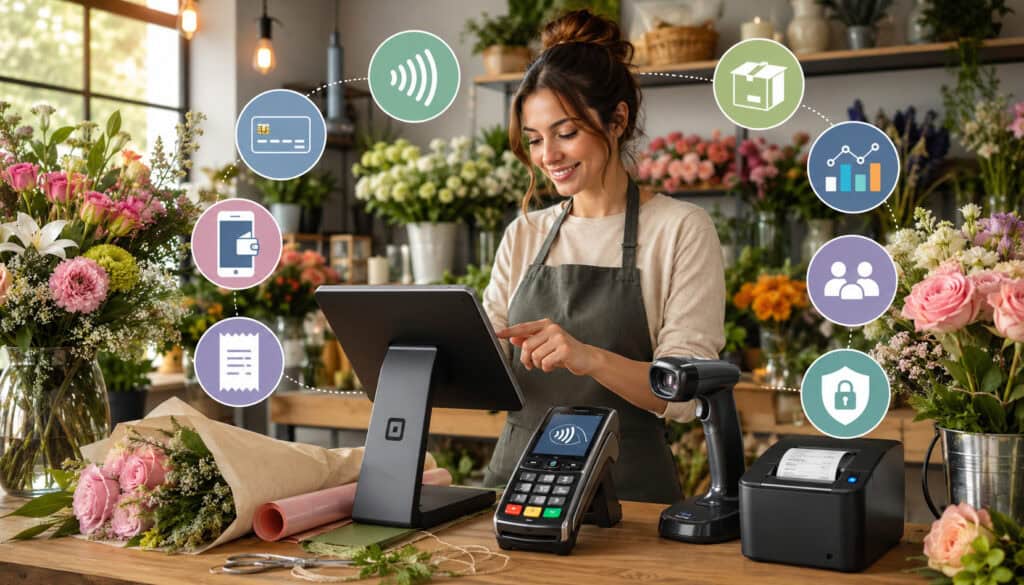
Before choosing a floral POS payment integration, flower shops should review how the system handles in-store payments, online checkout, phone payments, delivery payments, deposits, refunds, customer records, inventory tracking, staff permissions, and reporting. A system that works well for a basic retail store may not support the special needs of florists.
POS systems for flower shops should help manage both fast retail checkout and more detailed floral orders. A quick bouquet sale may need only item selection, payment, and receipt.
A custom arrangement may need design notes, recipient details, delivery instructions, substitutions, add-ons, and payment status. A wedding order may need estimates, deposits, staged payments, and final balances.
The payment side should support EMV chip cards, contactless payments, mobile wallet payments, payment links, online checkout, invoices, virtual terminal access, and refunds. If the shop offers delivery, mobile payments for florists may also matter. Delivery staff may need a mobile reader, payment status visibility, or a secure way to collect remaining balances.
Security and permissions should also be reviewed. Not every staff member needs access to refunds, reports, customer payment tools, or settlement details. Role-based access can help reduce mistakes and protect sensitive business information.
In-Store Payment Features
In-store payment features should support fast, secure, and accurate checkout. A flower shop should review payment terminal compatibility, EMV chip card support, contactless payments, tap-to-pay options, digital receipts, receipt printing, refunds, voids, and staff permissions.
The payment terminal should connect smoothly with the POS. If staff must type the total into the terminal after entering it into the POS, the setup is not fully integrated. This may still work, but it creates more room for mistakes during busy periods.
Digital receipts can also be valuable. Customers may need proof of purchase for office gifts, sympathy orders, event deposits, or reimbursements. A digital receipt tied to the order record can be easier to retrieve later than a paper receipt.
Staff permissions matter in-store because different roles have different responsibilities. A cashier may need to take payments, while a manager may need to approve refunds or voids. The POS should allow appropriate access levels.
Online, Phone, and Delivery Payment Features
Online, phone, and delivery sales create different payment needs. Online payments for florists should connect website orders with the POS, including customer details, recipient information, delivery instructions, product selection, payment status, and order notes.
Phone orders may require secure payment links or a virtual terminal. A secure payment link can reduce the need for staff to handle full card numbers directly. For general payment security information, the PCI Security Standards Council merchant resources explain why organizations that accept or process payment transactions need strong controls for cardholder data.
Delivery payment tools should help staff track prepaid orders, unpaid balances, mobile reader transactions, and delivery confirmations. Flower delivery payment processing can become confusing if drivers collect payments separately and records are updated later by hand.
Floral POS Payment Integration Comparison Table
The table below can help flower shops compare common integration features before choosing a payment setup. The best choice depends on sales channels, delivery volume, event work, online order activity, staff workflow, and reporting needs.
| Integration Feature | Best For | Why It Matters | What to Review |
| In-store card payments | Walk-in flower purchases | Speeds up checkout and reduces manual entry | Terminal compatibility, EMV support, fees, receipt options |
| Mobile wallet payments | Contactless checkout | Improves convenience for fast retail purchases | NFC support, tap-to-pay tools, device compatibility |
| Online checkout | Website flower orders | Supports remote sales and delivery orders | Delivery zones, cutoff times, order confirmations |
| Payment links | Custom orders and invoices | Makes remote payment easier after quotes or calls | Link security, expiration, confirmation messages |
| Delivery payments | On-the-go collections | Reduces unpaid balances and payment confusion | Mobile reader setup, staff training, receipt delivery |
| Event deposits | Weddings and large orders | Tracks partial payments and balances | Deposit records, due dates, invoice history |
| Refund tools | Order changes and cancellations | Helps resolve issues with cleaner records | Refund timing, partial refunds, documentation |
| Reporting | Daily sales and deposits | Supports reconciliation and better decisions | Batch reports, fee reports, refund reports |
| Security controls | Customer payment data | Helps reduce payment risk | PCI tools, tokenization, encryption, permissions |
A comparison table should not replace hands-on testing. It should help owners and managers identify which features matter most for the way the shop actually sells. A store with heavy wedding work may care most about deposits and invoices. A high-volume delivery shop may care more about online checkout and delivery payment status.
How to Use the Table Before Choosing a POS Setup
Flower shops should use the table as a practical checklist. Start by listing how customers currently pay: in-store, online, over the phone, through invoices, at delivery, or through event deposits. Then compare those channels with the POS and payment features available.
For example, a shop that handles many phone orders should review secure payment links, virtual terminal access, and customer profile tools. A shop with a strong online store should review whether website orders sync into the POS automatically. A wedding florist should review deposits, balance tracking, change orders, and invoice history.
Managers should also include staff workflow in the decision. A feature is only useful if employees can use it correctly during real shop conditions. If a checkout process is too complicated, staff may return to manual workarounds.
Why Integration Quality Matters More Than Feature Count
A long feature list is less useful if payments, orders, inventory, and reports do not sync reliably. Flower shops should focus on how well the integration works during real transactions. The best setup is not always the one with the most features; it is the one that reduces confusion and supports daily work.
Poor integration can create problems even when a system looks impressive. Payments may process successfully but fail to update order status. Online orders may arrive without delivery notes. Refunds may appear in the payment processor but not in the POS report. These gaps can waste staff time and affect customer trust.
Integration quality should be judged by reliability, clarity, speed, support, and reporting accuracy. Staff should be able to see payment status without guessing. Managers should be able to reconcile totals without searching through several platforms.
A practical POS setup should help the shop operate more smoothly. If the system adds complexity, requires too many manual fixes, or makes reports harder to understand, the feature count does not matter.
In-Store Floral POS Payments
In-store floral POS payments are the foundation of daily retail sales. Customers may buy wrapped bouquets, plants, gift baskets, greeting cards, balloons, candles, chocolates, vases, sympathy arrangements, or same-day pickup orders. A connected POS helps staff ring up items, collect payment, update records, and issue receipts in one flow.
For a floral shop checkout system, speed and accuracy both matter. A fast transaction is helpful, but only if the order details are correct. Staff may need to attach a customer profile, record a delivery address, add a card message, apply a discount, or note a substitution. Integrated payments help keep the payment record tied to those details.
In-store POS integration can also improve customer profiles. When a customer pays for a birthday bouquet, the order history may help staff recommend a similar arrangement next time. If the customer orders sympathy flowers later, the POS can help staff view previous addresses or preferences, depending on the records saved.
Refunds and exchanges are also easier when the payment record is connected. If a customer returns a non-perishable add-on or receives a partial refund for an order adjustment, staff can process the refund from the original transaction and keep the order history clear.
Card-Present Payments at the Counter
Card-present payments happen when the customer is physically present and uses a card or compatible device at the counter. This may include chip, swipe, or tap-to-pay transactions. When connected directly to the POS, these payments can be faster and easier to track.
The POS sends the total to the payment terminal, which reduces manual entry. The customer completes the payment, and the POS records the approval. Staff can then print or send a receipt and move the order forward.
Card-present payments are useful for quick retail purchases because they support a natural checkout flow. A customer chooses an arrangement, the cashier confirms the total, the customer pays, and the sale is recorded immediately. This can reduce lines during busy periods.
Flower shops should confirm that their payment terminal supports current card acceptance methods and integrates with the POS software. Older or disconnected terminals may still process payments, but they may require more manual reconciliation.
Contactless and Mobile Wallet Payments
Contactless payments for florists include tap-enabled cards and mobile wallet payments. These methods can make checkout faster because customers can tap a card or device instead of inserting a chip card or handing over a physical card.
Mobile wallet payments for florists may be especially useful for customers who prefer to pay with phones or wearable devices. During seasonal rushes, a contactless-friendly checkout can help reduce delays at the counter.
Contactless acceptance also supports a more modern customer experience. Many customers are already familiar with tap-to-pay in grocery stores, restaurants, and retail shops. When flower shops offer similar convenience, checkout feels more natural.
A shop reviewing mobile payments for florists should look at both counter payments and on-the-go situations. Delivery drivers, event staff, and pop-up sellers may need mobile tools that connect with the main POS or at least report clearly.
Online Payments and Floral POS Integration
Online payments for florists are important because customers often order flowers remotely. They may be sending flowers to someone else, scheduling delivery, purchasing sympathy arrangements, ordering gifts, or arranging same-day delivery. The online checkout experience should connect smoothly with the POS so staff can fulfill orders without re-entering details.
A strong online flower shop POS integration should capture customer name, recipient name, delivery address, phone number, card message, product selection, delivery date, pickup time, substitution preferences, payment status, and order notes.
If these details do not flow into the POS correctly, staff may need to copy information manually, which increases the chance of errors.
Online checkout should also communicate clearly. Customers need to understand delivery zones, cutoff times, pickup options, service fees, refund terms, and confirmation steps. When the payment is approved, the customer should receive a receipt or confirmation, and the shop should receive a complete order record.
A florist payment gateway may be involved in online transactions. The gateway securely transmits payment information between the checkout page, processor, and financial institutions. For flower shops, the practical question is whether the gateway works well with the POS and website.
Connecting Website Orders to the POS
When website orders connect to the POS, staff can manage online and in-store activity from one place. This is helpful because flower shops often have limited time to monitor separate systems during busy hours. If website orders appear directly in the POS, staff can review them alongside phone orders, walk-in orders, and delivery tasks.
A connected order should include payment status. Staff need to know whether the order is paid, pending, refunded, or partially paid. Without that visibility, a shop may prepare an order before payment is confirmed or delay an order that has already been paid.
Inventory visibility is another benefit. If online sales reduce available stock, the POS should help staff avoid overselling products. This is especially important for seasonal flowers, limited add-ons, and arrangements based on fresh inventory.
Payment Links for Custom Floral Orders
Payment links are useful when a customer places a custom order after a phone consultation, message exchange, or event quote. Instead of taking full card details manually, staff can send a secure link for the approved amount. The customer pays remotely, and the payment can be tied to the order or invoice.
Florists can use payment links for custom bouquets, sympathy orders, corporate gifts, last-minute add-ons, wedding updates, subscription changes, and delivery balances. This is helpful when the final price is not known until after a conversation.
Payment links can also create clearer records. The link may show the amount, customer, order reference, and payment status. Once paid, staff can move the order forward with less uncertainty.
However, flower shops should use payment links carefully. Links should be sent through approved business channels, include clear descriptions, and avoid exposing sensitive payment information. Staff should confirm that payment links are secure and properly recorded in the POS.
Payment Integration for Flower Delivery Services
Flower delivery payment processing has unique challenges because the customer, buyer, recipient, and delivery location may all be different.
A person may order flowers online for a recipient at a home, office, hospital, funeral home, or event venue. The payment must be clear before the arrangement leaves the shop, or the driver may need a reliable way to collect a balance.
Floral POS payment integration can help delivery teams see payment status, delivery fees, driver notes, routing instructions, and receipt information. If a delivery order is prepaid, staff can mark it ready without worrying about collection. If there is a remaining balance, the system should make that visible before dispatch.
Mobile payment tools can support delivery collections when appropriate. A driver may use a mobile reader or approved mobile payment method when the paying customer is present. The key is that the transaction should be recorded accurately and connected to the order.
Delivery confirmation also matters. A good workflow may connect payment status with delivery status, photos where appropriate, signatures where used, or driver notes. This helps resolve customer questions and reduces uncertainty.
Collecting Payments Before or During Delivery
Most flower shops prefer to collect payment before delivery because it reduces unpaid balances and protects staff time. Prepaid online orders, phone payments, payment links, and card-on-file tools can all support this approach. When payment is complete before delivery, the driver can focus on accurate and timely fulfillment.
Some shops may still collect payment during delivery when the paying customer is present. In that case, mobile payment acceptance should be secure, reliable, and easy for delivery staff to use. The transaction should generate a receipt and update the order status whenever possible.
Card-on-file tools may be useful for corporate accounts, subscriptions, or repeat customers, but they should be handled securely. Tokenization can help by replacing sensitive card details with a secure token so staff do not store full card numbers.
The PCI Security Standards Council notes that payment security standards set operational and technical requirements for organizations that accept or process payment transactions.
Reducing Delivery Payment Errors
Delivery payment errors can happen when orders are prepaid but not marked paid, balances are collected but not recorded, delivery fees are missed, or receipts are not sent. These errors can create confusion between the shop, driver, customer, and recipient.
Integrated payment records reduce these problems by showing the payment status in the order workflow. Staff can confirm whether the order is paid before it leaves the shop. Drivers can avoid asking recipients for payment when the buyer has already paid.
Duplicate charges can also be reduced. If staff can see that a payment was already approved, they are less likely to collect again. This is especially important when a buyer calls from one location and delivery goes to another.
Good delivery payment workflows should include clear staff procedures. Everyone should know when payment is required, how to check payment status, how to handle failed payments, and how to document delivery-related changes.
Wedding, Event, and Corporate Floral Payments
Wedding, event, and corporate floral payments are often more complex than everyday retail orders. These sales may include estimates, proposals, deposits, milestone payments, final balances, change orders, rentals, delivery fees, setup fees, breakdown charges, and special approval steps.
Integrated payments can help florists organize these details. A wedding order may begin as an estimate, become an approved proposal, receive a deposit, change several times, and then receive a final balance payment. If payments are disconnected from the event record, staff may struggle to see what has been paid and what remains due.
Corporate floral accounts may involve recurring orders, monthly invoices, delivery schedules, purchase approvals, and multiple contacts. A connected POS can help keep payments, customer profiles, and order history organized.
Event florists should also pay attention to documentation. Payment records should show amounts, dates, payment methods, balances, refund activity, and customer approvals. This helps reduce confusion and supports smoother communication.
Tracking Deposits and Final Balances
Deposits are common for wedding and event work because florists may need to reserve time, labor, flowers, containers, rentals, and delivery resources. The POS should make it easy to record deposit amounts, due dates, payment method, outstanding balance, and final payment confirmation.
A connected payment setup helps staff avoid relying on memory or separate spreadsheets. When an event coordinator opens the order, they should see whether the deposit was paid and when the final balance is due. This makes planning more dependable.
Final balance tracking is equally important. If the final payment is due before delivery or setup, the system should help staff identify unpaid balances early enough to follow up. Waiting until the event date can create stress for both the shop and the customer.
Managing Changes and Add-On Charges
Event orders often change. A customer may add centerpieces, upgrade flowers, change colors, add delivery locations, request extra setup time, or include rental items. These changes should be recorded clearly in the POS and reflected in the payment record.
Integrated systems can help by linking add-on charges to the original order. Staff can create an updated invoice or payment link, collect the additional amount, and keep the payment history in one place. This reduces the risk of missing charges or confusing the customer with unclear totals.
Substitutions should also be documented. Floral availability can change due to seasonality, supply conditions, and product quality. When substitutions affect price, the POS should help staff update the order and payment details.
Clear change records are helpful for customer trust. When a customer asks why the final balance changed, staff can point to approved additions, delivery changes, or upgrades instead of relying on memory.
Payment Security and PCI Compliance for Floral POS Systems
Payment security is essential when integrating payment tools with floral POS systems. Florists may process card-present payments, card-not-present payments, online orders, invoices, mobile payments, and card-on-file transactions. Each channel should be handled with appropriate security controls.
PCI compliance is a general term connected to payment card data security standards. The PCI Security Standards Council describes PCI standards as requirements for organizations that accept or process payment transactions and for software developers and manufacturers of payment applications and devices.
For flower shops, practical security steps may include using secure payment terminals, hosted payment pages, tokenized card-on-file tools, encryption, strong passwords, unique staff logins, limited permissions, and secure devices. Staff should avoid storing full card numbers in notebooks, spreadsheets, order notes, emails, or message threads.
Payment security should be treated as part of daily operations, not a one-time setup. Devices need updates, staff need training, and refund or payment permissions should be reviewed regularly. A secure workflow protects customer trust and reduces unnecessary risk.
Protecting Customer Card Data
Florists should avoid handling or storing full customer card details whenever secure alternatives are available. Secure terminals, hosted checkout pages, payment links, and tokenized card-on-file tools can reduce exposure to sensitive information.
Tokenization replaces card details with a secure token that can be used for approved future transactions without showing the full card number to staff. Encryption helps protect payment data as it moves through payment systems. Together, these tools can support safer payment handling.
Writing down card numbers for later processing is risky. It may seem convenient during a rush, but it can create security and compliance problems. Staff should be trained to use approved payment tools even when the shop is busy.
Staff Permissions and Secure Access
Staff permissions help protect both customer data and business records. Not every employee needs access to refunds, settlement reports, payment settings, customer payment tools, or manager-level reports. Role-based access helps employees do their jobs without giving unnecessary permissions.
Unique logins are important. If multiple employees share one login, it becomes difficult to know who processed a refund, changed an order, or accessed a report. Audit logs are more useful when each staff member has individual access.
Refund permissions should be controlled carefully. A cashier may need to start a return, but manager approval may be appropriate for larger refunds, partial refunds, or unusual adjustments. This can help reduce mistakes and support better oversight.
Device security also matters. POS tablets, payment terminals, office computers, and delivery devices should be protected with passwords, updates, and access controls. Lost or shared devices can create avoidable risk.
Payment Processing Fees and Funding Timelines
Payment processing fees and funding timelines should be reviewed before choosing any floral business payment solutions. Different transaction types may have different costs. In-store card-present payments, online checkout, phone orders, keyed payments, invoices, and payment links may be priced differently.
Common cost areas may include transaction fees, monthly fees, gateway fees, chargeback fees, batch fees, refund handling, equipment costs, statement fees, and software fees. Some pricing models may be simple but higher per transaction, while others may be more detailed but require closer review.
Funding timelines also matter for cash flow. Flower shops buy fresh inventory, pay staff, manage delivery expenses, and prepare for seasonal peaks. Knowing when card sales are deposited helps owners plan purchasing and payroll. Weekend delays, holidays, batch cutoff times, refunds, and chargebacks can affect timing.
This article is educational, so shops should review agreements carefully and seek qualified guidance when needed. The goal is to understand the questions to ask, not to treat general information as financial advice.
Understanding Card-Present and Card-Not-Present Costs
Card-present payments are usually made in person through a terminal with a chip, swipe, or tap. Card-not-present payments include online checkout, phone orders, invoices, payment links, and manually keyed transactions. These categories may be treated differently because the risk profile and transaction data can differ.
For florists, both types are common. A walk-in customer may tap a card at the counter, while a sympathy customer may order by phone, and a wedding client may pay through an invoice link. The POS and processor should support these workflows clearly.
Manually keyed transactions may require extra attention. If staff type card details into a virtual terminal, the transaction may carry different costs or risk considerations than an in-person chip transaction. Secure payment links may offer a cleaner workflow for remote payments.
Reviewing Deposits, Batches, and Settlement Reports
Florists should understand how deposits, batches, and settlement reports work. A batch is a group of card transactions submitted for settlement. The batch cutoff time may affect when funds are deposited.
Settlement reports can help owners compare POS totals with processor deposits. If the bank deposit is lower than the gross sales total, fees, refunds, chargebacks, or timing differences may explain the difference. Clear reports make these comparisons easier.
Refunds and chargebacks should also be reviewed. A refund may reduce a future deposit or appear separately, depending on the processor and timing.
A chargeback is different from a standard refund because it involves a cardholder dispute through the issuing bank. The FTC explains that cardholders have rights and responsibilities when disputing credit card billing errors.
Flower shops should keep records of receipts, delivery confirmations, customer communications, refund notes, and order details. These records can be useful when researching payment questions or responding to disputes.
Best Practices for Integrating Credit Card Payments With Floral POS Systems
Integrating credit card payments with floral POS systems works best when the shop treats it as an operational workflow, not just a technology upgrade. The POS, payment processor, gateway, terminals, website, delivery process, and staff procedures should all work together.
Start by choosing a POS that supports in-store, online, and delivery payments. Confirm card, contactless, and mobile wallet compatibility. Review whether the system supports secure payment links, invoices, deposits, refunds, customer records, staff permissions, and reporting.
Avoid manual entry when integration is available. Manual work creates more chances for mismatched totals and missing records. Staff should know how to send totals from the POS to the terminal, confirm payment status, issue receipts, and handle payment errors.
Flower shops should also reconcile reports regularly. Compare POS totals, processor reports, refunds, deposits, fees, and bank activity. Regular review helps catch small problems before they become larger issues.
For deeper information on card acceptance workflows, this resource on florist credit card processing can support additional research.
Testing the Full Checkout Workflow
Testing should include more than a basic counter sale. Flower shops should test walk-in checkout, online orders, payment links, delivery payments, event deposits, partial payments, refunds, receipts, and end-of-day reports.
A test should answer practical questions. Does the POS send the correct total to the terminal? Does the online order include all delivery details? Does the payment link update the order status? Does the refund appear in both the POS and processor report? Does the receipt show the right information?
Testing should happen before busy seasons. A system problem that feels minor on a slow day can become a major issue during holiday order volume. Staff should practice the workflows they will use under pressure.
Training Staff on Integrated Payments
Staff training is essential because floral payment workflows involve different roles. Cashiers, designers, delivery staff, managers, billing teams, and event coordinators may all interact with payment status in different ways.
Cashiers should understand checkout, receipts, voids, and basic payment errors. Managers should understand refunds, reports, settlement, permissions, and reconciliation. Delivery staff should understand prepaid status, mobile payment tools, and receipt procedures. Event coordinators should understand deposits, invoices, balances, and change orders.
Training should also cover what not to do. Staff should avoid writing down full card numbers, bypassing the POS, using personal devices for payments, or changing payment status without documentation.
Good training reduces stress. When everyone understands the workflow, the shop can handle busy periods with fewer mistakes and more consistent service.
Common Mistakes to Avoid With Florist POS Payments
Common mistakes with florist POS payments often come from disconnected tools, unclear procedures, weak training, outdated equipment, limited payment options, missing receipts, poor reconciliation, and insecure payment handling. These mistakes can affect customer service, reporting accuracy, and daily operations.
A major mistake is using a payment terminal that does not connect to the POS while assuming the records will match automatically. If staff enter totals manually, the business needs a careful process for matching payments to orders. Otherwise, small errors can build up.
Another mistake is failing to define refund procedures. Flower shops may need to handle cancellations, substitutions, delivery issues, duplicate payments, or partial refunds. Staff should know who can approve refunds, how to document them, and how to explain timing to customers.
Limited payment options can also create friction. If customers expect chip cards, contactless payments, mobile wallets, online checkout, or payment links, a shop with only one payment method may lose convenience. The goal is not to offer every possible method, but to support the methods customers actually use.
Using Disconnected Payment Tools
Disconnected payment tools can create mismatched totals, missing receipts, duplicate entries, and settlement confusion. Staff may enter an order into the POS, type the total into a separate terminal, and then forget to mark the order as paid. Another employee may later think the balance is still due.
This issue becomes more serious with phone orders, delivery payments, and event deposits. If one payment is recorded in the processor but not in the event order, the final balance may be wrong. If a refund is issued outside the POS, reports may not show the full story.
Integration helps reduce these problems because payment approval updates the order record automatically. However, even integrated systems need clear procedures. Staff should know what to do if the terminal disconnects, payment fails, or a customer changes the order after payment.
Ignoring End-of-Day Reconciliation
End-of-day reconciliation is easy to skip during busy periods, but it is one of the most important payment habits. Florists should compare POS sales, payment processor reports, refunds, voids, chargebacks, cash activity, and bank deposits regularly.
Without reconciliation, payment problems may go unnoticed. A duplicate refund, missing delivery payment, incorrect keyed amount, or failed online payment can affect records. Finding the issue days or weeks later is harder than catching it quickly.
Reconciliation also helps owners understand business performance. Reports can show which channels are growing, which payment methods are most common, and whether refunds or disputes are increasing. These insights can support better decisions.
The process does not need to be complicated. A consistent checklist and clear manager responsibility can make reconciliation manageable.
How to Choose Floral POS Payment Integration Tools
Choosing floral POS payment integration tools requires looking at the full business workflow. The right setup should support how the shop sells today and how it may grow. That includes in-store sales, online checkout, delivery orders, phone payments, payment links, event invoices, deposits, refunds, reporting, and security.
Compatibility is the first question. The POS, payment processor, payment gateway, terminals, website, and mobile tools should work together reliably. If one part does not connect, the shop may still face manual work.
Ease of use is also important. Florists need systems that staff can use during real shop conditions. A system may have advanced features, but if employees cannot quickly enter orders, collect payments, issue refunds, and review payment status, the shop may not receive the full benefit.
Support and documentation should be reviewed as well. Payment issues can interrupt sales, so flower shops need clear help resources and responsive support channels. Staff should also keep internal procedures for checkout, refunds, deposits, delivery payments, and reconciliation.
Questions to Ask Before Choosing a Floral POS System
Before choosing a system, flower shops should ask practical questions that match their sales process:
- Does the POS support card-present and card-not-present payments?
- Does it accept EMV chip cards, contactless cards, and mobile wallet payments?
- Does the payment terminal integrate directly with the POS?
- Does the system support online checkout and website order syncing?
- Can staff send secure payment links for phone orders and custom quotes?
- Can it track deposits, partial payments, and final balances?
- How are refunds, voids, and cancellations handled?
- Does it support delivery payment status and mobile payment tools?
- What reporting is available for batches, deposits, fees, refunds, and chargebacks?
- What PCI-related tools, tokenization, and permission settings are included?
- Can staff permissions be customized by role?
- What support is available during payment issues?
These questions help owners compare systems based on real needs instead of general feature lists. A shop with heavy event work may prioritize invoices and deposits. A shop with high delivery volume may prioritize online checkout and mobile payments.
Documentation Flower Shops Should Maintain
Good documentation helps flower shops stay organized after payment integration is complete. Important records may include POS agreements, processor terms, fee schedules, equipment details, staff procedures, refund records, chargeback records, deposit reports, customer payment authorizations, delivery payment records, and reconciliation notes.
Documentation is especially useful when staff changes. New employees can learn the correct process more quickly when procedures are written down. Managers can also review records when questions arise about refunds, deposits, disputes, or settlement timing.
Chargeback records deserve special attention. Florists should keep receipts, order details, delivery confirmations, customer messages, refund notes, and photos where appropriate.
The Consumer Financial Protection Bureau explains that consumers may be able to dispute credit card charges in certain cases, and merchants benefit from having organized records when questions arise.
FAQs
What does integrating credit card payments with floral POS systems mean?
It means connecting the flower shop’s POS software with its payment tools so sales and payments work together. When a customer pays by card, mobile wallet, online checkout, invoice, or payment link, the POS records the payment and connects it to the order.
This helps reduce manual entry, improve receipt accuracy, track payment status, and support better reporting. Instead of managing payments and orders separately, staff can work from one connected system.
Why do florists need POS payment integration?
Florists need POS payment integration because flower shop orders often include many details. A single order may include products, delivery instructions, recipient information, card messages, substitutions, deposits, and payment records.
Integration helps connect those details. It can reduce errors, speed up checkout, improve reporting, support refunds, and make customer service easier. It is especially helpful for shops that sell in-store, online, by phone, and through delivery.
What payment methods should floral POS systems support?
A floral POS system should generally support in-store card payments, EMV chip cards, contactless payments, mobile wallet payments, online checkout, payment links, invoices, and manually keyed payments where appropriate. Delivery and event payment tools may also be important.
The best payment methods depend on the shop’s sales channels. A retail-focused shop may prioritize counter checkout and contactless payments. A wedding florist may need deposits, invoices, and payment links. A delivery-heavy shop may need strong online and mobile payment support.
Can floral POS systems support online and delivery payments?
Yes, many floral POS systems can support online and delivery payments when connected with the right checkout tools, payment gateway, and delivery workflow. Website orders can flow into the POS with customer details, recipient information, delivery notes, and payment status.
For delivery, the system may show whether an order is prepaid, pending, refunded, or due at delivery. Some setups may also support mobile readers or secure payment links for remaining balances.
How does payment integration help with reporting and reconciliation?
Payment integration helps reporting by connecting each payment to the related order. This makes it easier to compare sales, refunds, deposits, delivery fees, online payments, payment links, and settlement batches.
For reconciliation, integrated reports can help managers compare POS totals with payment processor reports and bank deposits. This can reduce time spent searching for missing receipts or mismatched totals.
Are integrated florist POS payments secure?
Integrated florist POS payments can be secure when the shop uses approved payment tools, secure terminals, hosted payment pages, tokenization, encryption, unique staff logins, and role-based permissions. Security depends on both the technology and the daily procedures staff follow.
Florists should avoid storing full card numbers in paper files, spreadsheets, emails, text messages, or order notes. They should use secure payment links, terminals, and tokenized card-on-file tools where appropriate.
What fees should florists review before integrating payments?
Florists should review transaction fees, card-present and card-not-present pricing, monthly fees, gateway fees, chargeback fees, refund handling, batch fees, equipment costs, software fees, and funding timelines. They should also ask how deposits appear and when funds are typically available.
Fee review should be based on real transaction types. A shop should ask about examples for walk-in sales, online orders, phone payments, payment links, event deposits, refunds, and chargebacks.
How can flower shops choose the right floral POS payment integration?
Flower shops should choose based on actual workflow. They should review in-store checkout, online ordering, delivery payments, event deposits, refunds, reporting, security, staff permissions, support, and ease of use.
The right system should reduce manual work and make order records clearer. Before choosing, shops should test real scenarios such as a walk-in sale, online delivery order, payment link, event deposit, refund, and end-of-day report.
Conclusion
Integrating credit card payments with floral POS systems can help flower shops create a faster, cleaner, and more organized payment workflow. When payments connect directly with orders, receipts, refunds, customer records, delivery notes, deposits, and reports, staff can spend less time fixing records and more time serving customers.
A strong integration can improve in-store checkout, online payments, flower delivery payment processing, wedding deposits, event invoices, customer profiles, and end-of-day reconciliation. It can also reduce manual entry errors, make refunds easier to document, and support clearer reporting across sales channels.
Flower shops should review payment methods, POS compatibility, payment gateway options, online checkout tools, mobile payments, delivery workflows, fees, funding timelines, security controls, staff permissions, reporting, and support before choosing an integrated setup.
The best floral business payment solutions are not simply the ones with the longest feature list. They are the ones that match real shop workflows and help the team operate with accuracy, confidence, and consistency.
By taking time to compare tools, test workflows, train staff, and protect customer payment data, florists can build a payment process that supports daily retail sales, online orders, delivery operations, and larger event work while maintaining customer trust.