
If you’re an on-the-go florist, you don’t just sell flowers—you sell timing, convenience, and trust. You’re taking last-minute wedding changes, delivering sympathy arrangements on tight schedules, and setting up pop-up bouquets at markets where lines move fast.
In those moments, mobile payment solutions for on-the-go florists are not “nice to have.” They are a direct revenue driver.
Modern customers expect to pay with a tap, a wallet, or a link. They also expect instant receipts, clear refunds, and a checkout that doesn’t feel risky. That’s why today’s mobile payment solutions have moved beyond “a card reader and a phone.”
The best setups combine contactless acceptance, offline-ready workflows, invoicing, QR codes, inventory sync, fraud controls, and clean bookkeeping—without slowing you down.
This guide walks through mobile payment solutions for on-the-go florists in a practical way: what to accept, what gear to carry, how to choose a provider, how to reduce chargebacks, how to handle taxes and reporting, and where mobile checkout is heading next.
Along the way, you’ll see how contactless tech is improving (including newer NFC standards that make tapping easier) and how security requirements continue to evolve.
Why Mobile Payments Are a Competitive Advantage for Mobile Florists
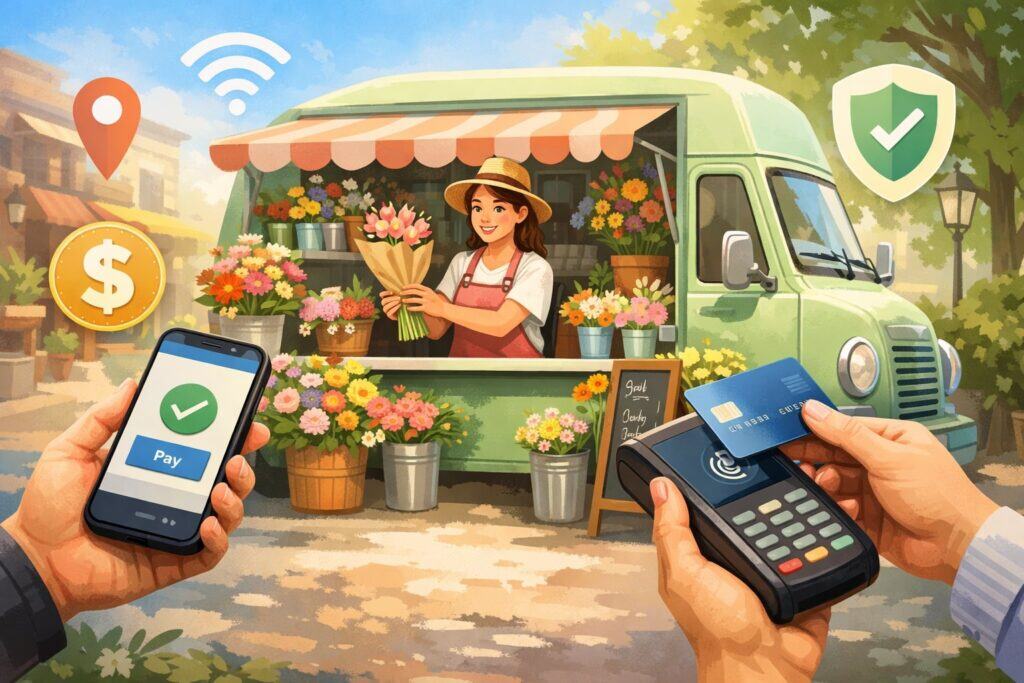
On-the-go florists live in “micro-moments.” A customer sees a bouquet, decides in five seconds, and wants to pay immediately. If you can’t accept their preferred method, that sale often disappears. Mobile payment solutions for on-the-go florists remove friction at the exact point where impulse and emotion drive purchases.
There’s also a second advantage: credibility. When you can present a professional checkout—tap-to-pay, branded invoices, digital receipts—you signal legitimacy. That matters at venues and events where customers may not know you yet.
A smooth payment experience also reduces awkwardness around pricing, especially when you upsell add-ons like premium wrapping, delivery windows, or vase upgrades.
Mobile payments can also improve cash flow. Instead of waiting days for a check or chasing an invoice, you can capture payment on-site, require deposits instantly, and store cards on file (where permitted) for final balances.
When your labor is time-sensitive and your inventory is perishable, speed of payment is tied directly to operational stability.
Finally, mobile checkout helps you learn. The right mobile payment solutions connect to dashboards that show best-selling items by location, average ticket size by event type, and peak sales hours—data you can use to optimize product mix and staffing.
What Customers Expect Today at Markets, Events, and Deliveries

Customer payment behavior has shifted hard toward contactless and mobile wallets. People want to tap a phone or watch, not dig for cash. And they expect a receipt they can search later, especially for weddings, corporate gifting, or reimbursable purchases.
For on-the-go florists, that means your mobile payment solutions must support at least these experiences:
- Contactless card tap (chip fallback if needed)
- Mobile wallet tap (phone/watch)
- Digital receipts via SMS/email
- Tips (optional, but valuable for delivery/setup teams)
- Pay-by-link invoices for deposits and balance due
Trust cues matter too. Customers feel safer when they see familiar wallet icons, a clear confirmation screen, and a receipt sent instantly.
Providers that offer “tap to pay” directly on a phone can be especially useful when you need a backup checkout method without extra hardware. Apple’s Tap to Pay on iPhone is one example of phone-based acceptance that enables contactless transactions on supported devices and processors.
In addition, customers increasingly expect flexibility—split payments, partial deposits, and quick refunds if a delivery time changes. Your mobile payment solutions for on-the-go florists should handle these without you manually calculating everything under pressure.
Core Mobile Payment Options for On-the-Go Florists

Card Readers, Mobile POS, and Tap-to-Pay Phone Acceptance
The foundation of most mobile payment solutions is a phone or tablet paired with either (1) a card reader, or (2) phone-based tap acceptance. A dedicated reader typically offers fast transactions, reliable chip reads, and good battery life.
Phone-based acceptance (tap-to-pay on device) can reduce gear and still let you accept contactless payments in a pinch.
For florists, the best setup is often “primary + backup”:
- Primary: a mobile POS app + a reliable reader (tap + chip)
- Backup: tap-to-pay on phone, so you can keep selling if the reader dies
Tap-to-pay on the phone is especially useful for delivery drivers, wedding assistants, or market pop-ups where you want to minimize equipment. Apple’s Tap to Pay on iPhone is designed to let businesses accept in-person contactless payments using an iPhone, supported payment service providers, and compatible OS/device combinations.
The key is consistency: you want the same product catalog, pricing, tax rules, and receipt flow across both primary and backup methods. The more your mobile payment solutions for on-the-go florists feel like “one system,” the fewer mistakes you’ll make during rushes.
QR Codes, Pay Links, and Invoicing for Deposits and Custom Orders
Florists often sell more than a simple bouquet. Weddings, sympathy work, and corporate gifting require consultations, revisions, and deposits. This is where mobile payment solutions that include invoicing and pay links become essential.
A strong invoice/pay-link workflow should let you:
- Send a deposit invoice immediately after a consult
- Include photos or line items (bouquet style, delivery fee, setup fee)
- Offer card and wallet payment options
- Set reminders and show “paid” status instantly
- Take the remaining balance on-site at delivery or venue setup
QR codes are useful at markets: customers scan, pay, and you reduce line time. Pay links also help when a recipient wants to upgrade an arrangement remotely. This is part of why modern mobile payment solutions for on-the-go florists are not just “point-of-sale.” They are also a lightweight billing system that closes the loop from quote to payment.
If you do a lot of custom work, prioritize providers that support partial payments, save customer details, and clear invoice histories so you can defend disputes later.
Choosing the Right Mobile Payment Provider for a Florist Business
The “Florist Fit” Checklist: Reliability, Coverage, and Speed
When comparing mobile payment solutions, florists should evaluate more than processing rate. You need reliability under messy real-world conditions: outdoor heat, crowded festivals, venues with poor reception, and time pressure.
Look at these florist-specific criteria:
- Connectivity flexibility: strong performance on cellular + Wi-Fi, and a plan for weak signal
- Checkout speed: quick product selection and fast tap approval
- Catalog and modifiers: variants (rose colors, wrap types), add-ons (vases, cards), delivery fees
- Tax handling: location-based sales tax rules and taxable/non-taxable items where applicable
- Receipts + customer contact capture: email/SMS receipts, optional marketing opt-in
- Staff accounts: permissions for drivers, assistants, market sellers
- Payout timing: fast access to funds matters for perishable inventory buys
Also consider how the provider handles chargebacks and refunds. Florists deal with subjective satisfaction (“the shade was different”), so having clear policies, signed terms for custom orders, and itemized receipts built into your mobile payment solutions for on-the-go florists is a major advantage.
Pricing Models, Fees, and How to Protect Your Margins
Processing fees can quietly erode margins, especially on lower-ticket market sales. Compare costs in a realistic way:
- In-person (tap/chip) typically costs less than keyed-in card entry
- Invoices/pay links may price like online transactions
- Instant payout options may add an extra fee
- Some providers bundle software features into monthly plans
A florist-friendly approach is to align payment method with risk:
- Encourage tap/chip for in-person (lower fraud risk)
- Use invoices for deposits and high-value custom orders (documentation helps)
- Avoid manual key entry unless necessary (often higher fees + higher dispute risk)
You should also model costs by sales channel. Markets might be 70% tap and quick sales; weddings might be fewer transactions but higher amounts and more invoicing. The “best” mobile payment solutions are the ones that keep total costs predictable across both realities.
Hardware and Field Setup That Won’t Fail Mid-Event
The Minimal Gear Kit for Pop-Ups, Deliveries, and Weddings
A reliable mobile checkout kit is like a florist toolkit: simple, redundant, and fast to deploy. For most on-the-go florists, your “don’t fail” kit should include:
- Phone with strong battery health
- Backup battery pack (high-capacity)
- Card reader (tap + chip) and charging cable
- Optional small tablet for faster catalog checkout
- Portable receipt option (digital receipts are fine; printer is optional)
- Weather protection (sun/heat/rain) for device and reader
- A backup acceptance method (like phone-based tap acceptance)
Phone-based acceptance can reduce your reliance on extra hardware, but it’s still smart to keep at least one dedicated reader if you do long events. Tap-to-pay phone acceptance exists to reduce friction and can be a lifesaver when a reader malfunctions.
For florists, speed matters. You want your mobile payment solutions for on-the-go florists to work one-handed while you’re holding stems, tissue, or ribbon. That’s why a clean product grid, favorites, and quick add-ons are worth more than fancy features you never use.
Connectivity, Offline Scenarios, and What to Do When Signal Drops
Markets and venues can have terrible reception. If your payments depend on a strong signal, you’ll lose sales. Plan for low-connectivity environments:
- Test your carrier coverage at common venues
- Use a phone with modern antennas and updated OS
- Keep Wi-Fi as a secondary option (but don’t rely on public Wi-Fi alone)
- Ask providers about offline mode and what it actually does
Be careful: “offline payments” can mean different things. Some systems store transactions and process later, which can increase risk if a card declines after the customer is gone. For florists, that’s dangerous on high-ticket orders. A safer practice is:
- Use offline capture only for low-ticket situations (if you must)
- For custom/wedding work, require a confirmed authorization before you release product
Also pay attention to the direction of technology. NFC standards are improving to make taps easier and more reliable, including a newer NFC release that increases effective range and reduces the need for precise alignment—helpful when customers tap quickly or awkwardly in crowded spaces.
Security, Compliance, and Fraud Prevention in Mobile Florist Payments
Protecting Card Data Without Becoming a Security Expert
Florists shouldn’t have to become cybersecurity professionals, but you do need to understand what “safe” looks like in mobile payment solutions.
The safest approach is to avoid handling card data directly. Use reputable providers that tokenize payment information so you never store raw card numbers on your device. Keep your devices updated, lock screens, and use biometric access. Train staff never to photograph cards or write numbers down.
If you use invoices and online payment pages, security requirements continue to evolve. PCI DSS v4.x includes future-dated requirements, and the PCI Security Standards Council has emphasized deadlines and new guidance—especially for e-commerce-related protections—making it important to use compliant hosted payment pages and avoid insecure DIY checkout forms.
In florist terms: let the payment provider do the heavy lifting. Your job is to keep devices clean, access controlled, and updated, and to choose mobile payment solutions for on-the-go florists that reduce your scope of responsibility.
Chargebacks, “Ghost Tapping” Risks, and How Florists Can Defend Themselves
Fraud shows up in different ways for on-the-go florists:
- Chargebacks on custom work (“not as described”)
- Disputes on delivery fees or last-minute add-ons
- Contactless scams in crowded environments
Recent warnings have highlighted scams that exploit tap-to-pay behaviors in busy places, where people are rushed into tapping without reviewing amounts. This reinforces a simple practice: always show the amount clearly, confirm with the customer, and offer a receipt immediately.
To reduce chargebacks, build documentation into your workflow:
- Itemized receipt (bouquet type, stem count range, add-ons)
- Photo at pickup/delivery (where appropriate)
- Clear cancellation and substitution policy for seasonal availability
- Signed approval for wedding proposals and revisions
- Proof of delivery (timestamp + recipient name)
The best mobile payment solutions make these steps easy by attaching notes, capturing signatures (if useful), and keeping an audit trail you can export when disputes occur.
Bookkeeping, Taxes, and Reporting for Mobile Florist Sales
Clean Reconciliation Across Markets, Deliveries, and Events
Mobile florist revenue often comes from multiple channels in the same week: pop-up sales, invoiced weddings, delivery add-ons, and corporate orders. Your bookkeeping will break unless your mobile payment solutions help you reconcile.
Set up categories that match how you actually operate:
- Market bouquets
- Custom arrangements
- Weddings/events
- Delivery fees
- Add-ons (vases, cards, premium wrap)
- Tips (track separately)
Then ensure every transaction has a receipt, a category, and a customer reference when possible. This improves profitability analysis (“Which market is worth it?”) and makes tax time less painful.
Also consider payout timing. If you buy flowers multiple times per week, cash flow matters. Some providers offer faster payouts; just evaluate the fees against the benefit. The best mobile payment solutions for on-the-go florists make it obvious which transactions are settled, pending, refunded, or disputed—without forcing you into spreadsheets after midnight.
Payment App Reporting Rules and What to Watch Going Forward
If you accept payments through card networks, invoices, marketplaces, or third-party payment apps, reporting rules can apply. In the United States, Form 1099-K rules and FAQs have been updated and revised over time, and official IRS guidance changes as thresholds and transition rules evolve.
Staying aligned with current IRS publications is important so you understand what forms you may receive and what you must report.
Practical florist advice:
- Treat every sales channel as taxable income unless your accountant confirms otherwise
- Keep expense documentation (wholesale flowers, supplies, mileage, event fees)
- Separate personal and business accounts
- Export monthly transaction reports from your mobile payment solutions and reconcile routinely
Future prediction: as digital payments continue growing, reporting will likely become more standardized, more automated, and more integrated into payment dashboards. Expect more “tax-ready” summaries and more prompts inside mobile payment solutions for on-the-go florists that help categorize income correctly.
Customer Experience That Increases Tips, Repeat Sales, and Referrals
Faster Lines, Better Upsells, and Professional Receipts
Speed is customer experience. At markets, your goal is to reduce the time between “I like that bouquet” and “I paid.” The right mobile payment solutions help you do that with:
- One-tap products (best-sellers pinned)
- Smart add-ons (“Add a vase?” “Add a card?”)
- Quick discounts (end-of-day bundles)
- Digital receipts with your branding and contact info
Receipts are marketing. If your receipt includes your business name, social handle, and reorder link, you turn a one-time sale into a future order. This matters especially when customers buy flowers for recurring occasions.
Also, consider tipping prompts carefully. For delivery and setup, tips can be meaningful, but you don’t want to annoy market customers. Configure tipping by sales channel: enable it for deliveries/events, disable or reduce prompts for fast market checkout. Many mobile payment solutions for on-the-go florists allow this kind of customization.
Loyalty, Subscriptions, and “Pay-by-Text” for Busy Customers
Florists are naturally positioned for repeat purchases: anniversaries, birthdays, weekly office flowers, and seasonal décor. Mobile payments can make loyalty effortless:
- Capture customer phone/email (with permission)
- Offer a simple “bouquet of the month” subscription
- Send pay-by-text links for quick reorders
- Store preferences (colors, allergies, vase style)
As instant payments and real-time settlement options expand, expect more customers to prefer immediate account-to-account style experiences for invoices and subscriptions—especially in B2B contexts.
The Federal Reserve ecosystem has continued to highlight growing interest in faster and instant payments and their use cases, which will likely influence small business payment expectations over time.
For florists, the takeaway is clear: loyalty isn’t only points programs. It’s removing friction from reordering. Strong mobile payment solutions make reordering feel like texting a friend.
Future Trends and Predictions for Mobile Florist Payments
Contactless Gets Easier, Devices Get Smarter, and Checkout Shrinks
Mobile checkout is trending toward “less stuff, more capability.” Phone-based acceptance reduces the need for extra terminals, and the technology behind contactless is improving.
NFC enhancements like increased effective range can make tap-to-pay smoother—especially helpful when customers tap quickly with phones, watches, or rings and don’t want to line up perfectly.
Expect these shifts to accelerate:
- More merchants accepting payments directly on phones
- More wearable payments (watches, rings)
- More “one-tap” combined actions (pay + loyalty + receipt)
- Better accessibility features at checkout
For mobile payment solutions for on-the-go florists, that means your system should be flexible. Choose a provider with a roadmap and frequent updates, not something that feels frozen in time.
Real-Time Payments, Instant Payouts, and New Operating Models
The next wave is about money moving faster behind the scenes. Instant payment rails and modern settlement options are expanding, and surveys and use-case materials from Federal Reserve Financial Services emphasize growing business interest and innovation in instant payments.
For florists, real-time payments can enable:
- Faster vendor payments (rush wholesale orders)
- Faster payroll for event staff
- Immediate deposits for last-minute weddings
- Better cash forecasting because balances update quickly
Prediction: within a few years, mobile payment solutions will increasingly combine card acceptance with instant transfer options in the same checkout—letting customers choose “tap card” or “instant account transfer” for certain scenarios.
This could reduce fees on large invoice payments and improve cash flow, especially for event florists handling large balances.
FAQs
Q.1: What are the best mobile payment solutions for on-the-go florists who sell at markets?
Answer: The best mobile payment solutions for on-the-go florists at markets are the ones that maximize speed and minimize failure. That usually means a simple mobile POS app with a tap/chip reader as your primary checkout, plus a backup method if the reader fails.
Markets create a unique set of problems: glare on screens, inconsistent signal, customers who want to tap and go, and lines that punish slow checkout.
Your market setup should prioritize: fast product buttons, quick quantity edits, digital receipts, and simple discounts for bundles. Also, you want a system that supports contactless wallets because more customers expect to tap with a phone or watch.
Phone-based tap acceptance can be a strong backup for contactless transactions if your main reader dies, and modern options like Tap to Pay on iPhone show how checkout can shrink to just a phone.
Finally, pick mobile payment solutions that let you run end-of-day reports by location and product so you can decide which markets are profitable and which ones drain time.
Q.2: Do I need a card reader, or can I accept tap-to-pay directly on my phone?
Answer: You can sometimes accept contactless payments directly on a phone, depending on your device, OS, and which payment provider supports it. For many florists, phone-based acceptance is valuable because it reduces gear and gives you a safety net when hardware fails.
Apple’s Tap to Pay on iPhone is an example of a system designed for accepting in-person contactless payments using an iPhone with supported providers.
That said, many on-the-go florists still prefer having a dedicated reader for daily selling. Readers can offer more consistent performance for chip transactions and may handle long event days better.
A smart approach is: use a reader as your primary device, and enable phone tap acceptance as your backup. That way your mobile payment solutions for on-the-go florists don’t collapse when a cable breaks or a battery runs out.
Also consider customer mix. If you serve older customers or corporate buyers, chip cards may still matter. Your best bet is to support tap plus chip so you never have to turn someone away.
Q.3: How do I reduce chargebacks for wedding and custom floral orders?
Answer: Chargebacks usually happen when the buyer claims the charge was unauthorized or the product/service was not delivered as agreed. Custom floral work can be subjective, so your best defense is clarity and documentation built into your mobile payment solutions workflow.
Use itemized invoices that describe what’s included: color palette, arrangement style, substitution policy for seasonal availability, delivery/setup times, and what triggers additional fees.
Require a deposit with a clear “non-refundable after design work begins” policy (review enforceability with your advisor). Take photos at key milestones—proposal mockups, final arrangements at venue, and delivery confirmation where appropriate.
If your provider supports it, capture signatures or acceptance confirmations for major milestones. Also send receipts immediately and keep communication in writing.
As security standards and e-commerce guidance evolve, using hosted, compliant payment pages and secure invoicing flows reduces risk and can help with dispute evidence.
Q.4: Are mobile payments safe at crowded events, and what precautions should I take?
Answer: Mobile payments can be safe, but crowded events create specific risks: rushed customers, unclear amounts, and social engineering scams. Recent warnings about tap-to-pay related scams reinforce the importance of slowing down the “confirm amount” step.
Here are practical precautions for on-the-go florists:
- Always show the amount before the customer taps
- Keep your device facing you until you confirm the total, then rotate for tap
- Enable receipts so customers can verify immediately
- Use device passcodes/biometrics and timeouts
- Train staff to never accept “tap without showing total” behavior
- Use tap/chip rather than manual key entry whenever possible
Also keep software updated. As NFC technology improves (including changes that can make taps easier and more reliable), customers may tap faster and with less precision—great for speed, but it increases the need for clear amount confirmation and visible checkout steps.
Strong mobile payment solutions for on-the-go florists combine convenience with guardrails: clear totals, staff permissions, and audit trails.
Q.5: What payment records should I keep for taxes and accounting?
Answer: At minimum, keep daily sales summaries, transaction-level exports, receipts/invoices, refund logs, and payout reports.
Also keep supporting business expenses: wholesale invoices, supplies, booth fees, mileage logs, and labor payments. Because reporting rules and thresholds can change, rely on official guidance for what forms you may receive and what gets reported through third-party payment networks.
In the United States, the IRS maintains frequently updated guidance on Form 1099-K and related FAQs, and it’s important to stay current with those publications rather than relying on old social media summaries.
From a workflow standpoint, your mobile payment solutions should let you export:
- Transaction list by date range
- Sales tax collected
- Tips collected
- Refunds/chargebacks
- Customer invoices and payment status
If your payment system integrates with accounting software, use it—but still reconcile monthly so you catch missing categories, duplicated deposits, or misapplied refunds before they snowball.
Conclusion
For florists who sell on the move, payments aren’t a back-office detail—they’re part of the bouquet. The right mobile payment solutions for on-the-go florists help you sell faster at markets, secure deposits for custom work, look professional at venues, and protect your margins with fewer disputes and cleaner records.
Aim for a setup that’s simple but resilient: a reliable reader + a phone-based backup, strong invoicing, fast receipts, and tight documentation for weddings and deliveries. Keep security practical by using hosted, compliant payment flows and by training staff to confirm totals clearly—especially in crowds.
Looking ahead, checkout will keep shrinking and speeding up. Contactless technology is improving, and instant payment capabilities are expanding, which will push customer expectations even further toward “pay now, confirm instantly.”