By Dominic Andrews March 11, 2026
Running a flower shop means managing beauty, timing, and customer expectations all at once. One moment you are helping a walk-in customer choose a bouquet for a birthday, and the next you are reviewing website orders, scheduling deliveries, checking stem counts, and preparing for an event consultation. When those moving parts live in separate systems, even a well-run shop can start to feel disorganized.
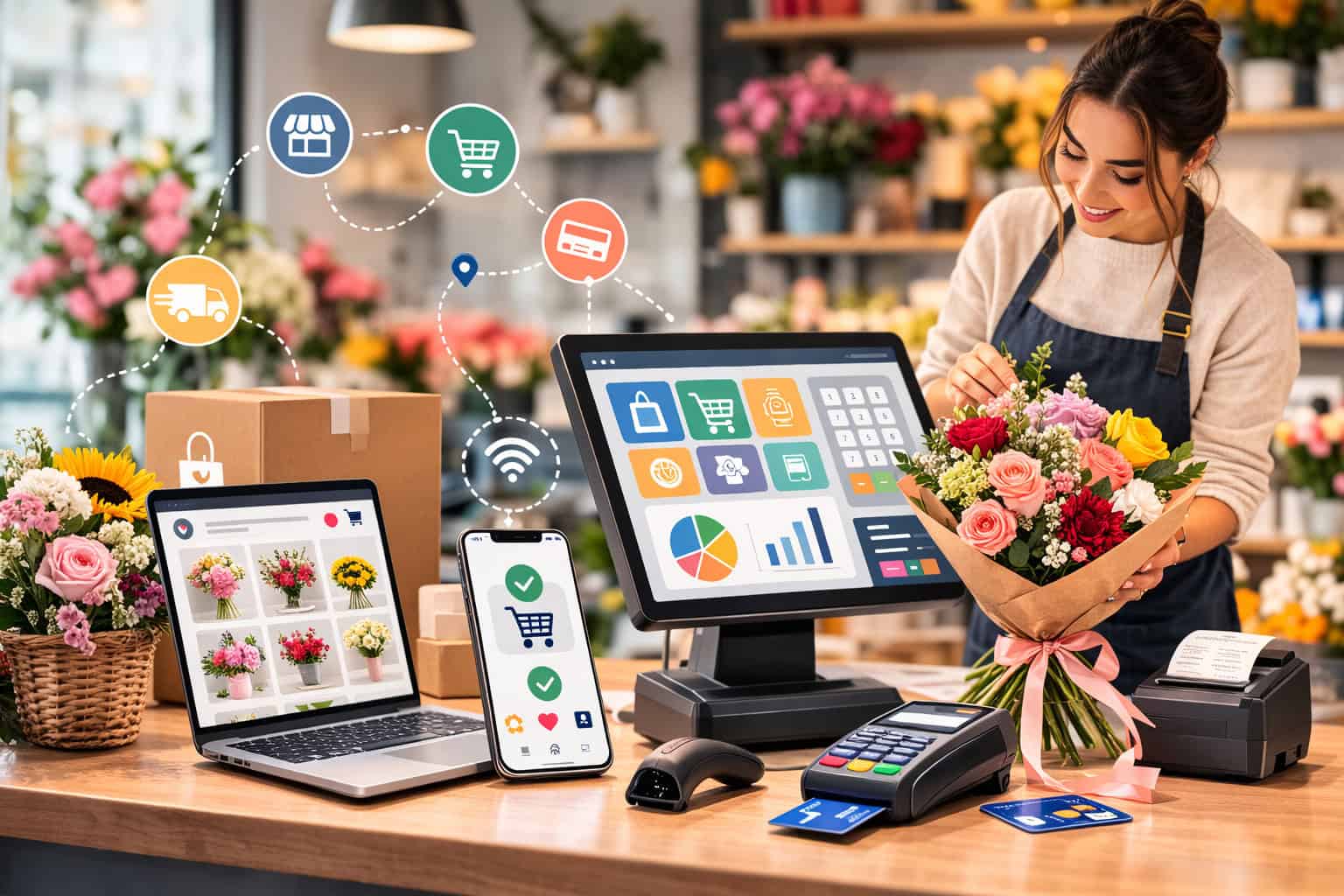
That is why POS Integration for Florists matters so much. An integrated system connects your checkout, website, inventory, order flow, customer information, and reporting so your business works as one operation instead of several disconnected pieces.
It helps reduce mistakes, improve speed, and create a better experience for both your team and your customers.
For flower shop owners, this is not just about technology. It is about protecting margins, keeping fresh inventory under control, preventing oversells, and making sure orders are fulfilled the way customers expect.
A strong setup can also help you handle same-day delivery, custom design requests, seasonal rushes, subscription orders, and event work with far less confusion.
This guide explains Florist POS Integration in a practical way. You will learn what it means, why it matters, which features to look for, how it supports online and in-store sales sync, what challenges to watch for, and how to choose a system that fits your workflow.
Whether you are opening your first floral shop or improving an established operation, the goal is the same: build a smoother, more reliable, more profitable business.
What POS Integration for Florists Actually Means
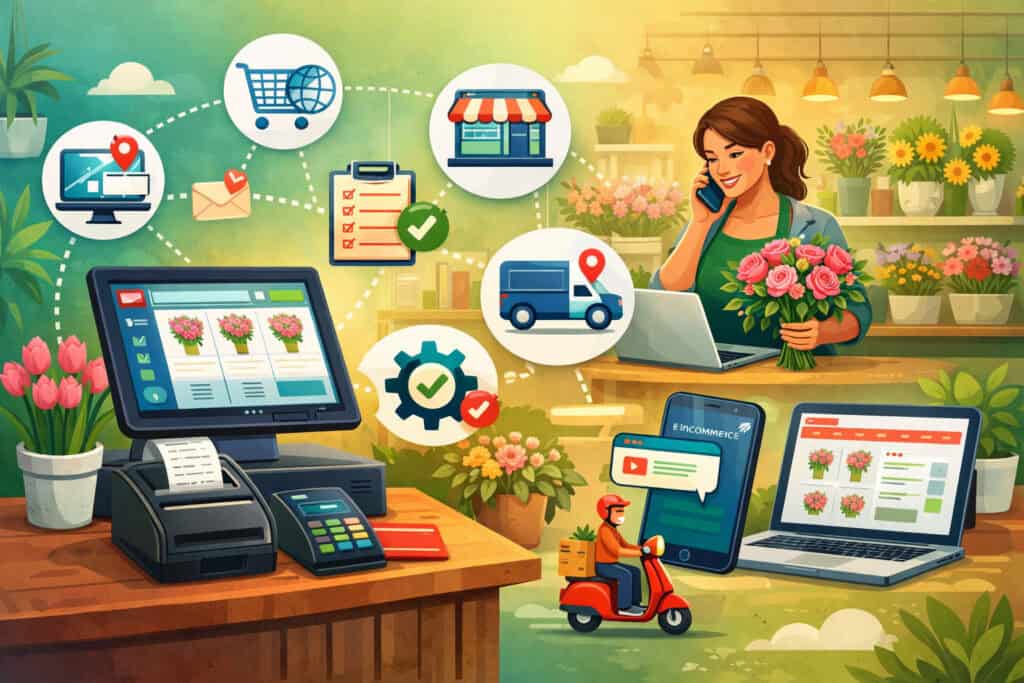
At its core, POS Integration for Florists means your point-of-sale system does more than process payments at the counter. It connects with the rest of your business tools so your online store, in-store checkout, order management, inventory, delivery workflow, customer records, and reporting all share the same information.
Without integration, a flower shop may take website orders in one platform, track inventory in a spreadsheet, process walk-in sales through a separate register, and manage delivery routes somewhere else.
That setup often leads to double entry, missed updates, stock confusion, and wasted time. Staff may need to manually enter the same order more than once, which increases the chance of errors.
With Florist POS with Online Store Integration, a website order can appear automatically inside your main system. Inventory counts can update when an arrangement sells online or in-store.
Customer order tracking becomes easier because all order details are stored in one place. Payment records, promotions, and customer information stay connected instead of scattered.
This matters especially in floral retail, where products are time-sensitive and inventory is not always simple. You are not just selling a fixed product from a shelf.
You are selling fresh stems, wrapped bouquets, custom arrangements, plant gifts, add-ons, delivery services, event packages, and seasonal designs. Each of those items affects labor, stock, pricing, timing, and customer communication.
A well-built POS System for Flower Shops acts like the operating center of the business. It helps coordinate everyday retail florist operations while supporting the special demands of floral design and fulfillment.
How integrated floral sales differ from a basic cash register
A basic cash register records a sale. An integrated floral system manages the full sale journey.
In a flower shop, the sale often begins before checkout. A customer may browse your website, call for a custom bouquet, stop by in person, or request a sympathy arrangement with specific colors and delivery timing.
That order may need design notes, card message details, recipient contact information, delivery instructions, and substitutions based on freshness and availability.
A standard register cannot handle that complexity very well. By contrast, Floral Shop POS Integration can tie together product selection, special instructions, payment collection, delivery scheduling, and inventory deduction in one process. That means your team spends less time switching between tools and more time serving customers.
This is also where multi-channel sales for florists become much easier. When one system handles in-store and online sales sync, you can offer a more consistent experience no matter how the customer places the order.
Customers can order online, call to modify a delivery, earn loyalty rewards in-store, or repeat a past purchase without your staff hunting through different systems.
Why floral businesses need a system built for real shop workflows
Flower shops operate differently from many other retail businesses. Inventory changes quickly. Fresh flowers have limited shelf life. Product availability may shift daily. Large holidays can multiply order volume in a very short time. Delivery timing matters. Event jobs may be booked weeks ahead while walk-in traffic still needs attention today.
That is why generic retail software is not always enough. A strong floral store management system needs to support bouquet components, substitutions, delivery zones, card messages, order timing, pickup scheduling, custom pricing, and customer communication. It also needs to make life easier during normal days and high-pressure periods.
Florist inventory management is one of the biggest reasons integration matters. If your online store says a product is available but your design table used the last stems for an in-store arrangement, you now have a service problem. Real-time inventory sync reduces that risk. It gives the team a more accurate picture of what can actually be sold.
An integrated system also supports florist CRM functions. That helps you remember customer preferences, important dates, past purchases, event orders, and delivery details. When all of that is linked to your sales process, your service becomes more personal and more efficient at the same time.
Why Connecting Online and In-Store Floral Sales Matters
Flower shop owners often feel the pain of disconnected systems long before they decide to replace them. The signs show up in small but costly ways: a website order gets missed during a busy lunch rush, inventory counts do not match what is in the cooler, a promotion works online but not at the counter, or staff has to call customers back because a listed product is no longer available.
These problems are not just frustrating. They affect revenue, labor, reputation, and repeat business. When your store and website operate separately, your team is forced to spend more time fixing issues than fulfilling orders and serving customers. That is where POS Integration for Florists creates real operational value.
Integrated sales systems help unify the way orders move through your business. A walk-in purchase, a phone order, and an online order can all enter the same order management flow. Pricing stays more consistent. Inventory updates happen faster.
Reporting becomes more complete because every sale is captured in one place. Staff no longer need to manually reconcile sales activity from separate tools at the end of the day.
For flower shops, this connected setup improves more than efficiency. It improves the customer experience. Customers want confidence that the arrangement they order is available, that delivery details are correct, and that communication is timely. When your systems are connected, you are better able to deliver that confidence.
Better efficiency, fewer manual steps, and fewer order mistakes
Manual work tends to multiply in floral businesses because there are so many details tied to each order. A custom bouquet request may include flower type preferences, color palette notes, vase choices, delivery timing, a gift message, and special recipient instructions. If those details must be entered into multiple systems, the odds of error rise quickly.
Florist order management becomes far more reliable when order data flows automatically from one channel into a single platform.
Online flower order integration allows website purchases to appear directly in your POS workflow, which reduces re-entry and missed details. In-store staff can review the same order records as the design team or delivery coordinator.
This type of workflow also makes training easier over time. Instead of teaching employees several disconnected systems, you can train them on one process. That shortens onboarding and reduces dependency on one experienced staff member who knows all the workarounds.
From an owner’s perspective, the biggest benefit may be time. Less time spent fixing duplicate orders, reconciling payment records, or chasing down stock issues means more time spent improving merchandising, customer service, and profitability.
Stronger customer experience across every sales channel
Customers do not think in channels. They think about outcomes. They want the arrangement to look good, arrive on time, and match what they ordered. They expect your business to know their order details whether they placed the order online, by phone, or in person.
A connected Florist POS with Online Store Integration helps create that seamless experience. A returning customer can place an online order and still receive loyalty benefits linked to their in-store purchase history.
A staff member can quickly view a past anniversary order and suggest something similar. A delivery update can reflect the latest order status without staff needing to manually check multiple tools.
Integrated customer profiles also improve communication. You can keep track of preferred recipients, common order occasions, favorite products, and event histories. That supports stronger follow-up, better upselling, and more personalized service without making the process feel forced.
This matters even more in floral retail because many purchases are emotional and time-sensitive. Sympathy flowers, weddings, birthdays, apologies, and milestone events all carry personal meaning.
When your systems help you communicate clearly and fulfill accurately, customers are more likely to trust you again for the next important occasion.
Core Features of a POS System for Flower Shops
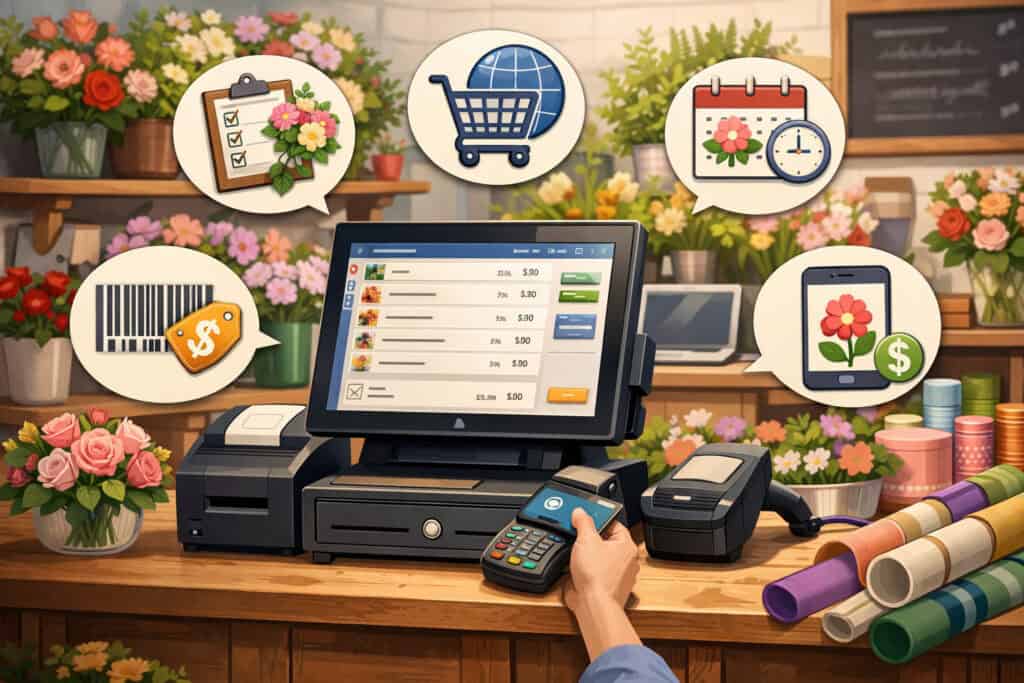
Not all systems offer the same depth or flexibility. Some tools are great for basic retail checkout but weak on delivery management. Others handle eCommerce well but are not designed for florist inventory management or event tracking. To choose well, flower shop owners need to understand the core features of a POS System that truly support daily operations.
A modern POS System for Flower Shops should do more than ring up sales. It should help you manage perishable inventory, process online and in-store transactions, organize order details, coordinate deliveries, track customer history, and generate meaningful reports. It should support both fast counter service and more detailed custom sales.
The best systems make complex work feel simpler. That means staff can move from one task to the next without jumping between unrelated tools. It also means the owner can get a clearer view of what is selling, what is profitable, where delays happen, and how the business performs across channels.
Below are the features that matter most when evaluating Floral Shop POS Integration in the real world.
Inventory sync and real-time stock visibility
For floral businesses, inventory is rarely static. Fresh stems come in, arrangements go out, event jobs reserve product in advance, and last-minute substitutions happen daily. That is why real-time inventory sync is one of the most important features in any floral retail software platform.
A strong system should allow inventory to update when a sale happens online or in-store. If a dozen roses are sold for pickup through the website, your staff should not accidentally sell the same quantity again from the sales floor without knowing the stock has changed. The same applies to add-ons like candles, chocolates, vases, greeting cards, or plush gifts.
Good inventory tools also support more than finished products. They should help track components or at least product categories in a way that reflects how florists actually build arrangements. That does not mean every shop needs complex recipe-based inventory, but it does mean the system should support realistic stock awareness.
Real-time visibility improves decision-making too. Staff can recommend available substitutions, manage seasonal demand more accurately, and reduce waste by watching what moves quickly and what does not. Owners can spot trends earlier and adjust purchasing, pricing, or promotions based on current sales patterns instead of guesses.
Order management, payment processing, and checkout flow
Every floral order contains more detail than a typical retail purchase. That is why order management should be a central part of your POS, not an afterthought. Your system should capture delivery or pickup dates, card messages, design notes, recipient information, add-ons, substitution permissions, and staff status updates in one organized flow.
Florist payment processing should also be built into the same process. This reduces friction at checkout, improves reporting accuracy, and helps staff manage deposits, split payments, final balances, or order changes more easily.
For custom work, especially event and wedding orders, the ability to manage staged payments can be especially valuable.
Your flower shop checkout system should work well both at the counter and during remote order taking. Phone orders should be just as easy to enter as walk-in sales. That means clear item selection, easy note entry, customer profile access, and a simple way to confirm totals, fees, taxes, and fulfillment timing.
Speed matters, but so does accuracy. A fast checkout that misses delivery notes is not really efficient. The best systems balance both needs by guiding staff through the right information at the right time.
Customer profiles, reporting, and delivery coordination
A good floral business automation setup should help you know not just what sold, but to whom, why, and how often. Customer profiles make that possible.
These profiles may include contact information, order history, important dates, delivery addresses, preferred styles, and loyalty activity. That turns your POS into a practical florist CRM, not just a payment tool.
These records can improve service in very real ways. When a returning customer calls, staff can quickly reference a past bouquet style, event order, or favorite add-on. That makes reordering easier and creates a more personal experience without requiring your team to remember everything manually.
Reporting is equally important. You should be able to review online and in-store sales sync, product performance, average order value, category trends, staff activity, and seasonal peaks. If reporting is disconnected, you are likely making decisions based on incomplete information.
Delivery coordination is another feature that matters greatly in floral shops. Even a beautiful arrangement becomes a bad experience if it arrives late or with missing details.
Integrated delivery scheduling helps connect order intake with route planning, driver assignments, timing windows, and customer updates. That makes floral delivery management much more dependable, especially during high-volume periods.
How Florist POS Integration Supports Every Type of Sale

Flower shops do not sell through one fixed channel. A single day may include website orders, walk-in purchases, phone orders, social-driven inquiries, subscription requests, sympathy arrangements, custom bouquets, and consultations for future events.
If these sales channels stay disconnected, your team ends up spending too much energy keeping them aligned.
That is where Florist POS Integration becomes especially valuable. It allows your business to operate as one coordinated sales environment, even when customers buy in different ways. Instead of treating online and in-store sales as separate businesses, integration helps you manage them as part of one unified process.
This is important because customer behavior is flexible. Some people browse online and buy in-store. Others call after seeing a product on your website. Some begin with a walk-in order and later request delivery updates online. Your system should support that reality without creating confusion for staff or customers.
When done well, integration also gives you more confidence in scaling. You can add channels, promote seasonal products, or grow event work without losing control of inventory, reporting, or customer communication.
Website orders, phone orders, and walk-in purchases in one system
A strong flower shop eCommerce integration setup ensures that website orders flow directly into your core operations. That means when a customer orders a bouquet online, the order enters the same system that your staff uses for in-store and phone sales. No manual copying. No delayed visibility. No separate order queue that someone might forget to check.
This shared workflow helps prevent duplicate work and missed orders. It also makes updates easier. If a customer calls to change the card message on an online order, staff can locate and edit the order in the main system without switching platforms. The same applies if a customer wants to upgrade an arrangement, add a gift item, or confirm delivery timing.
Walk-in purchases benefit too. Staff can access the same pricing, customer records, product categories, and promotions used online. That reduces inconsistencies and helps your team speak confidently about what is available across all channels.
Phone orders remain important for many flower shops, especially for sympathy arrangements, custom requests, and repeat customers. An integrated system allows staff to create these orders with the same level of detail and tracking as an online order. That creates better visibility for everyone involved in fulfillment.
Custom bouquets, seasonal promotions, subscriptions, and event orders
Floral businesses often go beyond standard catalog items. A customer may request a custom bouquet based on budget, color, mood, or occasion. Seasonal promotions may bundle flowers with candles, treats, or plants.
Subscription customers may receive weekly or monthly arrangements. Event clients may require multiple delivery dates, setup notes, and itemized planning.
These are exactly the situations where disconnected systems start to break down. With Florist POS with Online Store Integration, shops can manage more complex sales without relying on scattered notes and side processes.
Staff can link custom order details to customer records, reserve dates more clearly, and keep status updates visible throughout the order lifecycle.
For subscription orders, an integrated system helps track recurring preferences, scheduling, and payment flow. For holiday promotions, it helps ensure the same offer is reflected online and at the register.
For weddings and event flower order tracking, it provides a structured way to manage larger sales without losing sight of everyday retail activity.
This type of coordination supports smoother growth. Instead of avoiding new revenue opportunities because they feel too hard to manage, your shop becomes better equipped to offer them confidently.
Real-Time Inventory Sync for Fresh Flowers, Add-Ons, and Gift Items
Inventory is one of the biggest pressure points in floral retail. Unlike many products, flowers are perishable, seasonal, and often sold in both finished and flexible forms.
A stem may become part of a custom bouquet, a holiday arrangement, or a walk-in wrapped bunch depending on demand. That fluidity makes inventory harder to track and even harder to keep consistent across online and in-store channels.
This is why real-time inventory sync is such a critical part of POS Integration for Florists. It helps your shop maintain a more accurate picture of what can actually be sold at any given time. When inventory changes in one channel, the update should reflect everywhere else as quickly as possible.
That matters not only for fresh flowers, but also for plants, vases, ribbons, cards, gift baskets, candles, chocolates, plush items, and other add-ons that often drive order value.
If online availability does not reflect actual in-store stock, overselling becomes a serious problem. If staff cannot trust inventory counts, they may under-sell out of caution.
For flower shops, inventory accuracy is directly tied to customer satisfaction and profitability. It affects substitutions, fulfillment confidence, delivery timing, and waste control.
How real-time inventory sync reduces overselling and waste
Overselling is one of the most visible consequences of poor integration. A customer places an order online for a specific arrangement, but the shop already sold the last matching inventory in-store. Now your team must call the customer, explain the issue, offer substitutions, and risk disappointment.
Real-time inventory sync helps prevent that by updating quantities as sales happen. It does not make inventory perfect, but it makes it much more reliable. When used consistently, it allows your team to sell more confidently and fulfill more accurately.
This visibility also helps reduce waste. Owners can monitor what is moving quickly and what is not, then adjust design plans or promotions to use the product before quality declines. Fresh inventory is expensive, and waste cuts into margins fast. Better tracking supports smarter purchasing and more intentional use of stock.
For shops offering same-day delivery, inventory accuracy is even more important. Those orders leave little room for correction. If your system shows what is truly available in real time, staff can accept urgent orders with more confidence and fewer last-minute problems.
Managing substitutions, bundles, and mixed inventory types
Flower shops rarely sell only fixed products. A listed arrangement may allow color variations, flower substitutions, container swaps, or seasonal updates. Add-ons may be attached to both online and in-store orders.
Gift items may have limited stock or special packaging requirements. That means floral inventory management needs flexibility as well as accuracy.
A useful POS software for florists should support practical substitution workflows. If a certain flower is unavailable, staff should be able to note an approved replacement without losing the order trail.
For custom work, the system should also preserve design notes so the fulfillment team knows what was promised or discussed.
Bundles create another inventory challenge. A promotion may include an arrangement, a candle, and a greeting card. If those items sell together, the inventory system should still account for each component. Otherwise, your reporting and stock counts will drift out of alignment.
Gift items can be easy to overlook, but they matter. These products often increase average order value and help differentiate your business. A floral store management system that tracks both perishable and non-perishable items in one environment gives owners a more complete view of demand and profitability.
How Integrated Systems Improve Pricing, Promotions, Loyalty, and Communication
Customers notice inconsistency quickly. If a bouquet is priced one way online and another way in-store, trust can drop. If a promotion appears on your website but your staff cannot apply for it at the register, the sale becomes awkward. If loyalty points work only on one channel, customers may hesitate to buy the way they prefer.
Integrated systems help solve these issues by keeping pricing and customer engagement tools aligned across the business. This is one of the biggest everyday advantages of Florist POS Integration, especially for shops that want to grow without creating a confusing customer experience.
When your pricing, discounts, loyalty programs, and communication tools are all connected, your business feels more polished. Customers get a smoother experience. Staff spends less time explaining differences or correcting manual errors. Owners gain better control over margins and promotional performance.
This is also where the value of floral business automation becomes more visible. Integration does not remove the human side of floristry. It removes unnecessary friction around the business side, so your team can focus more on design, service, and sales.
Pricing consistency, promotions, and loyalty across channels
Consistent pricing helps build trust and reduce confusion. When an arrangement or add-on is updated in your system, that change should flow across your website, register, and order the entry process whenever possible. This matters during both regular pricing updates and seasonal promotions.
For example, if you launch a holiday bundle or a promotion on premium vase upgrades, your staff should not need to remember a separate rule for online orders versus walk-in sales. An integrated setup helps ensure the same offer is available and tracked correctly in both places. That improves execution and helps you measure which promotions actually work.
Loyalty programs are another area where integration makes a big difference. A customer who shops online one month and in-store the next should not feel like they are interacting with two different businesses. Connected customer profiles allow rewards, points, or purchase history to stay linked regardless of channel.
This makes your shop more customer-friendly and more competitive. It also supports better retention, which is especially valuable in a category built around recurring occasions and relationship-driven sales.
Better communication before, during, and after the sale
Communication is a huge part of floral service. Customers want order confirmation, pickup or delivery clarity, updates when needed, and confidence that instructions were received correctly. An integrated system helps support that communication by keeping accurate order details and status information in one place.
This improves internal communication too. Designers, front counter staff, delivery coordinators, and managers can all reference the same order record instead of relying on handwritten notes, separate apps, or memory. That reduces the risk of miscommunication, especially during busy periods.
Externally, integrated customer order tracking can help support confirmation emails, fulfillment updates, and follow-up marketing based on actual purchase history. You can send reminders around recurring occasions, thank repeat customers, or highlight relevant products based on prior orders.
How to Choose the Right Floral Shop POS Integration Solution
There is no single best system for every flower shop. The right choice depends on your business size, sales mix, delivery model, order complexity, and growth plans. A shop focused mostly on walk-in traffic may need something different from a business handling heavy website volume, subscriptions, or event work.
That said, the selection process should always begin with your workflow, not a feature list alone. It is easy to get distracted by software demos that look polished but do not match the way your shop actually operates. The goal is not just to buy software. The goal is to choose a system that reduces friction in daily work.
A reliable Floral Shop POS Integration solution should fit the way your team takes orders, tracks inventory, handles delivery scheduling, manages customer data, and reviews business performance. It should support your current operation while leaving room for improvement and growth.
Before you compare providers, map out the most important tasks your system must handle well. That gives you a more realistic way to judge whether a platform will help or frustrate your team.
Match the system to your business size and sales workflow
Start by looking at order volume, channel mix, and complexity. Do most of your sales happen in-store, online, by phone, or across all three? Do you offer same-day delivery? How much custom design work do you handle? Do you manage large event bookings or recurring subscriptions?
A smaller shop may prioritize ease of use, basic website integration, delivery management, and straightforward reporting. A larger operation may need stronger multi-location capability, deeper inventory tools, more advanced customer segmentation, or stronger event tracking. The important thing is alignment.
Think carefully about how your team actually works during busy hours. Can staff create and edit orders quickly? Can they find customer history without delay? Can they view accurate stock levels while helping a customer? Can managers see all sales channels in one reporting view? These are the questions that matter most.
A good POS System for Flower Shops should make your busiest days easier, not just your quietest ones.
Evaluate delivery features, integrations, support, and training needs
Because floral fulfillment often includes delivery, timing features deserve close attention. Look at how the system handles delivery windows, routing notes, order status, recipient details, and customer communication. If delivery is a major part of your business, weak delivery tools can create constant friction.
Next, review integration quality. Some platforms say they integrate with online stores, but the connection may be limited or require manual syncing.
Ask how website orders appear, how inventory updates work, and whether product, customer, and order data stay aligned. For florist website integration, depth matters more than marketing language.
Support and training are also critical. Even strong software can fail if your team does not understand how to use it properly. Ask about setup assistance, training resources, responsiveness, and what happens if you need help during a high-volume season.
Common Integration Challenges and How to Solve Them
Even the best software implementation can run into problems if planning is weak or expectations are unrealistic. Integration is not just a technical project. It is also an operational change. That means owners need to prepare for both system issues and people issues.
Common challenges in POS Integration for Florists include duplicate orders, stock mismatches, disconnected reporting, poor product setup, staff confusion, and compatibility issues between platforms. These problems can feel discouraging, but most are manageable when identified early.
The key is to approach integration as a business process improvement effort, not just a software install. The better you understand your current workflow, the easier it becomes to spot where problems may occur and how to prevent them.
A thoughtful rollout can reduce disruption and help your team build trust in the new system over time.
Duplicate orders, stock mismatches, and disconnected reporting
Duplicate orders often happen when website orders are imported incorrectly, entered manually after already syncing, or processed in parallel systems without clear controls. This creates confusion, wasted labor, and customer service problems.
The solution is to define a single source of truth for all order intake and make sure staff knows exactly where orders should be reviewed and updated.
Stock mismatches usually come from weak product mapping, delayed sync settings, or inconsistent manual inventory adjustments. If online and in-store products are not structured correctly, your system cannot keep counts aligned. Regular audits, clean product setup, and consistent inventory procedures go a long way here.
Disconnected reporting is another major issue. If online sales, walk-in sales, and phone orders are tracked differently, your reports may not reflect real performance. That makes purchasing, staffing, and marketing decisions much harder.
A better setup centralizes reporting so you can assess total sales, average ticket size, best-sellers, and seasonal trends more accurately.
Staff training, software compatibility, and process cleanup
Training problems often get blamed on staff when the real issue is unclear workflows. Employees need to know not just how to click through the system, but why the new process works better.
Show them how the integrated setup reduces re-entry, improves order visibility, and helps prevent mistakes. That gives the change more purpose.
Software compatibility can also cause frustration. A platform may technically connect to your website or payment processor, but not in the way your business needs. That is why testing matters. Before full rollout, confirm how orders, products, modifiers, taxes, promotions, and customer records behave across systems.
Sometimes the hardest part is process cleanup. Integration exposes weak habits such as inconsistent item naming, missing customer data, or informal delivery procedures. That can feel inconvenient, but it is also an opportunity. Cleaning up these areas makes your entire floral store management system stronger and more scalable.
Practical Ways to Improve Online and In-Store Sales Coordination
You do not have to overhaul every process overnight to improve coordination. In many flower shops, meaningful progress starts with a few practical changes: cleaner product setup, clearer order statuses, better inventory habits, and a shared process for managing all sales channels.
The goal is to make it easier for your team to understand what was sold, what needs to be fulfilled, what inventory is available, and what the customer expects. These improvements are especially valuable when a shop is busy, short-staffed, or growing faster than its current systems can support.
Better coordination also helps owners feel more in control. Instead of reacting to daily confusion, you can create repeatable processes that make the business more stable and easier to manage.
Create one order workflow for every sales channel
Whether an order comes from the website, the counter, or the phone, it should move through the same basic operational flow. That does not mean every order is identical, but it does mean the same core steps should apply: capture order details, confirm payment, assign fulfillment status, schedule pickup or delivery, and track completion.
This unified process helps reduce missed steps and makes cross-training easier. Staff can learn one order system instead of several workarounds. It also improves accountability, since everyone can see where an order stands and what happens next.
Using consistent order statuses is especially helpful. For example, orders may move from new to confirmed to designing to ready to out for delivery to completed. That kind of visibility improves customer order tracking and internal handoffs.
Standardize product data and review it regularly
Good integration depends on good data. Product names, categories, pricing, images, modifiers, and inventory rules should be structured consistently. If the same bouquet is labeled differently online and in-store, confusion follows. If products are not organized clearly, reporting becomes less useful.
Set time aside to review product setup before major seasons. Check pricing, descriptions, availability rules, add-on options, and promotion settings. Make sure your online listings match what your staff can realistically produce and fulfill.
This practice also supports better website performance and customer experience. Clear product data improves browsing, ordering, and staff efficiency all at once.
How Integrated POS Systems Help During Rush Periods and Special Sales Cycles
Flower shops experience intense surges that can overwhelm disconnected systems. Holiday periods, same-day delivery spikes, subscription schedules, and event weekends all put pressure on your order flow, inventory, and communication. During these times, even small process problems can become large operational failures.
Integrated systems help reduce that risk by giving your team better visibility and control. They make it easier to accept orders confidently, assign work, track stock, and respond to customer needs without losing sight of the bigger picture.
This is where POS Integration for Florists often proves its value most clearly. During quiet weeks, inefficiency is annoying. During high-volume weeks, it becomes expensive.
Same-day delivery and high-volume order periods
Same-day delivery can drive strong revenue, but it also creates a narrow margin for error. Orders must be taken quickly, inventory must be accurate, and delivery coordination must happen fast. If website orders do not sync properly or if staff cannot trust stock levels, same-day service becomes difficult to manage.
An integrated system improves speed and confidence. Orders enter immediately. Inventory visibility supports realistic selling. Delivery notes stay attached to the order. Payment is already recorded. That means your team can move faster with fewer back-and-forth corrections.
During holiday rushes, this becomes even more important. High order volume can overwhelm manual processes. Integrated reporting and workflow management help owners see what is coming in, what is pending, and where bottlenecks are forming before service starts slipping.
Subscription orders, weddings, and event flower tracking
Recurring subscription orders require dependable scheduling and customer consistency. An integrated setup helps manage timing, preferences, and repeat payments more effectively. Staff can view recurring customers in context instead of rebuilding the order from scratch each cycle.
For weddings and events, the value is different but just as important. These jobs often involve larger ticket sizes, multiple items, consultations, deposits, design notes, and future delivery or setup dates. Strong wedding and event flower order tracking helps ensure details do not get lost between booking and execution.
A shop that can balance event work with everyday retail sales has a major advantage. Integration makes that balance easier by centralizing customer records, payment status, product information, and reporting in one operational environment.
Step-by-Step Implementation Checklist for Florists
Adopting an integrated system works best when the process is deliberate. Rushing setup can create confusion, bad data, and frustrated staff. A better approach is to break implementation into clear steps and assign responsibility where needed.
This checklist is designed to help both new flower shop owners and established businesses prepare for Florist POS Integration without disrupting daily operations more than necessary.
Before launch: planning, setup, and testing
Start by documenting your current workflow. List how orders come in, how inventory is tracked, how deliveries are scheduled, how payments are collected, and how customer information is stored. This gives you a baseline and helps identify what the new system must improve.
Then work through the setup process carefully:
- Clean up product names, categories, pricing, and images
- Decide how inventory will be tracked across fresh flowers, arrangements, and gift items
- Import customer records with as much useful detail as possible
- Set up taxes, fees, modifiers, card messages, and delivery options
- Connect your website and test online flower order integration
- Confirm payment processing works for in-store, online, and phone orders
- Build standard order statuses for fulfillment and delivery scheduling
- Test reports to confirm all channels are included correctly
Testing is essential. Run sample orders from each channel and follow them all the way through fulfillment, reporting, and customer communication.
After launch: training, monitoring, and improvement
Once the system goes live, train staff in short, practical sessions tied to real tasks. Show them how to enter orders, update statuses, check inventory, process payments, and access customer profiles. Keep quick reference guides nearby during the first few weeks.
After launch, monitor performance closely:
- Review inventory accuracy daily at first
- Check for duplicate or missing orders
- Confirm online promotions match in-store setup
- Watch for staff workarounds that signal friction
- Review customer feedback for communication or fulfillment issues
- Adjust workflows based on real usage, not assumptions
FAQ
Q.1: What is POS Integration for Florists?
Answer: POS Integration for Florists means connecting your point-of-sale system with your online store, inventory, customer data, delivery workflow, and reporting tools. It allows your flower shop to manage online and in-store sales as one coordinated system instead of separate platforms.
Q.2: Why is Florist POS Integration important for flower shops?
Answer: It helps reduce manual work, order errors, stock mismatches, and missed sales opportunities. It also improves customer experience by keeping pricing, inventory, and order details more consistent across channels.
Q.3: Can a POS System for Flower Shops help with online and in-store sales sync?
Answer: Yes. A well-designed POS System for Flower Shops can sync website orders with in-store activity, update inventory in real time, centralize reporting, and make order management easier for staff.
Q.4: How does florist inventory management improve with integration?
Answer: Integrated systems support real-time inventory sync, which helps prevent overselling and improves visibility into what products are actually available. This is especially useful for fresh flowers, arrangements, add-ons, and gift items.
Q.5: What should I look for in Florist POS with Online Store Integration?
Answer: Look for inventory sync, order management, payment processing, customer profiles, reporting, delivery scheduling, and strong florist website integration. The best choice should match your order volume, sales channels, and daily workflow.
Q.6: Can Floral Shop POS Integration support weddings and event orders?
Answer: Yes. Many integrated systems can help with wedding and event flower order tracking by storing customer details, design notes, payment schedules, delivery timing, and larger order records in one place.
Q.7: Does integration help with same-day delivery?
Answer: Yes. It can make same-day delivery easier by improving order visibility, inventory accuracy, payment confirmation, and delivery coordination, all of which are critical when time is limited.
Q.8: How long does it take to implement an integrated floral POS system?
Answer: The timeline varies based on product setup, website connection, staff training, and data cleanup. The most important factor is careful planning and testing, not speed alone.
Q.9: Is a florist CRM included in an integrated POS system?
Answer: Some systems include customer relationship tools directly, while others connect with separate CRM functions. In either case, integrated customer profiles can help track order history, preferences, reminders, and repeat purchase behavior.
Q.10: Can a small flower shop benefit from POS software for florists?
Answer: Absolutely. Even smaller shops can benefit from better order management, real-time inventory sync, cleaner reporting, and easier coordination between website orders, phone orders, and in-store sales.
Conclusion
A flower shop runs best when its sales channels, order flow, inventory, customer data, and delivery process all work together. That is the real value of POS Integration for Florists. It turns disconnected tasks into a more organized system that supports better service, fewer errors, stronger inventory control, and more confident growth.
For shop owners, this is not just a software decision. It is an operations decision. The right integrated setup can reduce manual work, improve real-time inventory sync, strengthen customer communication, and make both everyday retail and high-volume periods more manageable.
It can help your team sell more effectively online and in-store without creating more chaos behind the scenes.
Whether you are exploring Florist POS Integration for the first time or improving an existing setup, focus on what helps your business run better in real life. Look for a solution that fits your workflow, supports your team, and makes it easier to manage fresh inventory, customer orders, payments, promotions, and delivery coordination in one place.
When your systems are connected, your shop can spend less energy fixing problems and more energy creating great customer experiences. That is good for efficiency, good for your team, and good for long-term growth.