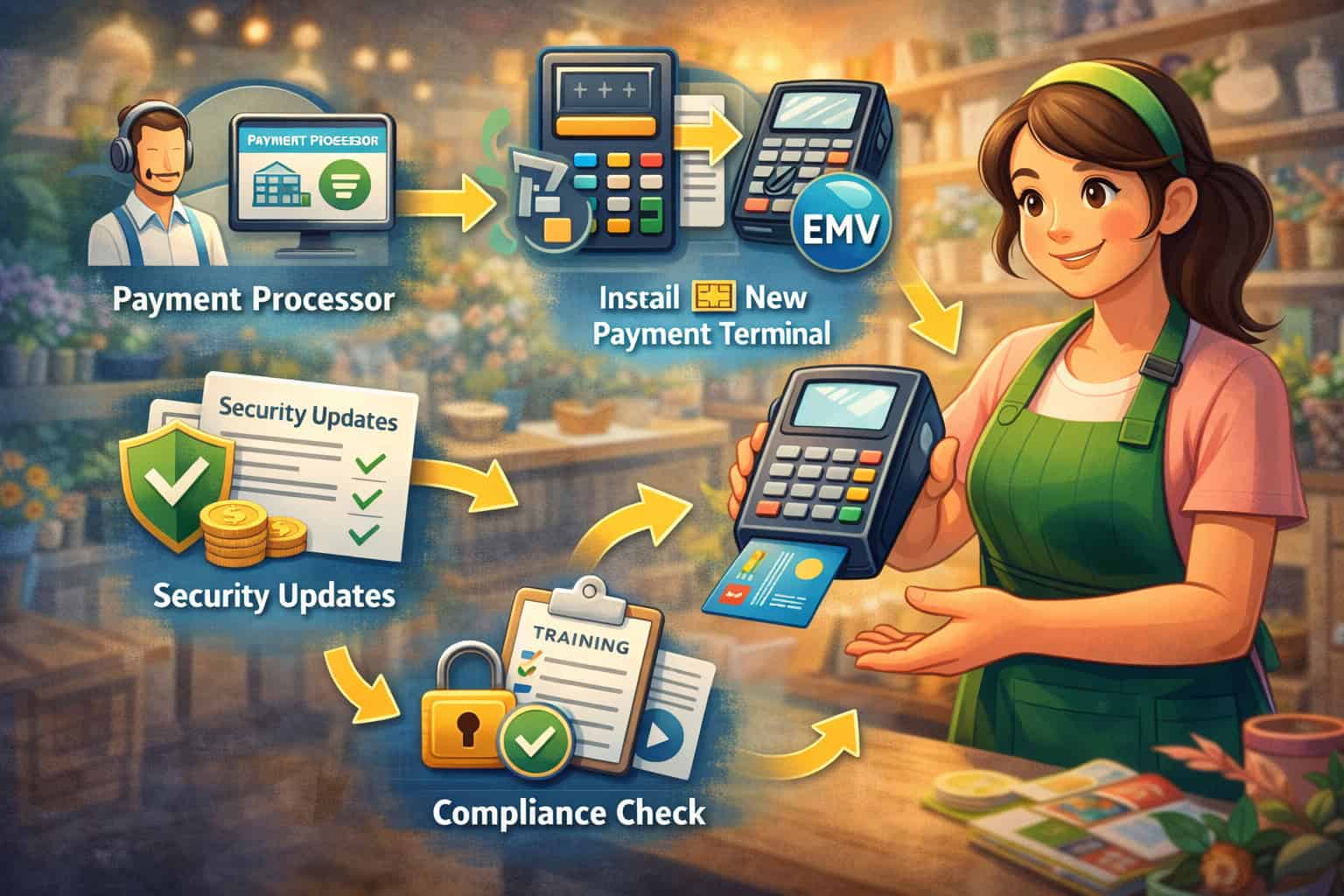
Upgrading your card acceptance setup is no longer just a technology project. For many businesses, it is a practical move that affects security, customer confidence, checkout speed, and day-to-day operations.
If you are researching how to upgrade to an EMV-compliant payment system, you are likely trying to solve more than one problem at once: outdated hardware, rising fraud concerns, pressure to support tap-to-pay, or the need to modernize your checkout experience without disrupting sales.
An EMV upgrade can feel technical at first. Between payment processors, terminals, POS software, chip card readers, and setup requirements, it is easy to get stuck comparing devices without a clear plan.
The good news is that the process becomes much easier when you break it into practical steps and focus on what your business actually needs.
This guide explains what an EMV-compliant payment system is, why businesses upgrade, how chip card transactions differ from magnetic stripe and contactless payments, and what to look for when choosing hardware and software.
You will also learn how to evaluate your current setup, confirm processor compatibility, select the right equipment, train your staff, test transactions, and avoid common upgrade mistakes.
Whether you run a retail store, restaurant, mobile service business, office-based operation, or multi-lane checkout environment, the right EMV-compliant payment systems for businesses can improve payment security and make your setup more flexible for future growth.
By the end of this article, you will have a practical roadmap for planning your upgrade with more confidence and fewer surprises.
What an EMV-Compliant Payment System Really Means
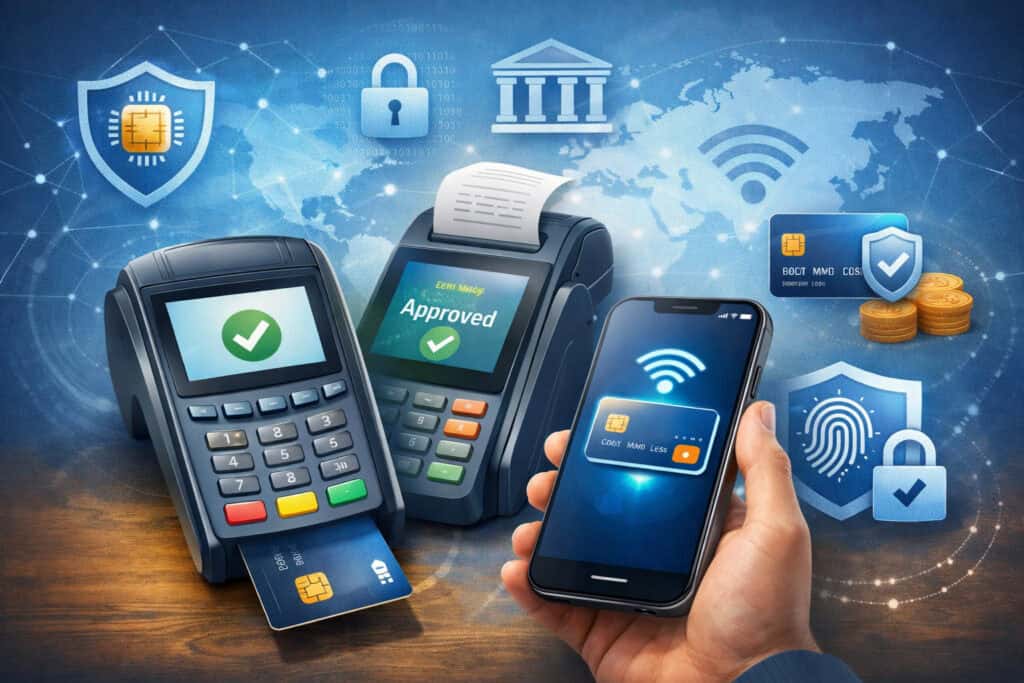
An EMV-compliant payment system is a card acceptance setup that can process transactions using chip-enabled cards according to EMV standards.
In everyday terms, it means your payment terminal or POS equipment can read the chip on a payment card and process the transaction through supported software, network connections, and processor settings.
EMV stands for a global standard used for chip card transactions. Instead of relying only on magnetic stripe data, EMV chip cards create transaction data that is much harder to copy and reuse in fraudulent card-present purchases.
That is one of the biggest reasons businesses consider an EMV credit card processing upgrade when their existing equipment is old or limited.
A true EMV setup usually involves more than just replacing one card machine. It often includes compatible terminal hardware, updated payment software, certified processor support, and correct device configuration.
If any part of that chain is missing, your business may have a chip-capable device that is not fully set up for EMV transactions in practice.
EMV chip payments vs. magnetic stripe transactions
Magnetic stripe payments work by swiping a card so the terminal reads static card data stored on the stripe. That method has been used for many years, but it is easier for criminals to copy compared with chip technology.
If someone clones the stripe data, it may be used for fraudulent purchases in card-present environments that still accept swipe transactions.
EMV chip payments work differently. When a customer inserts or dips a chip card, the card and terminal interact to create transaction-specific data. That dynamic process helps reduce certain types of counterfeit card fraud because the transaction details are not simply a repeatable copy of card data from a stripe.
This does not mean EMV stops all payment fraud. No payment technology eliminates every risk. What EMV does is make in-person card fraud more difficult in many common scenarios and improve the overall security of card-present transactions.
That is why so many businesses view the upgrade to EMV payment system as part of a broader security strategy rather than just a hardware refresh.
EMV chip payments vs. contactless payments
Many business owners confuse chip payments and contactless payments, but they are related rather than identical. EMV refers to the chip-based standard behind secure card transactions.
Contactless payments often use that same secure framework while allowing customers to tap a card, mobile wallet, or wearable device instead of inserting the card.
A contactless terminal can often accept:
- Tap-enabled credit and debit cards
- Mobile wallets on phones
- Smartwatch payments
- Some NFC-based digital wallet transactions
That means many modern EMV chip card payment systems also support contactless acceptance. If you are upgrading hardware now, it usually makes sense to consider equipment that handles both chip insert and tap transactions, especially if you want a payment setup that feels current and flexible.
Why Businesses Upgrade to EMV Payment Technology
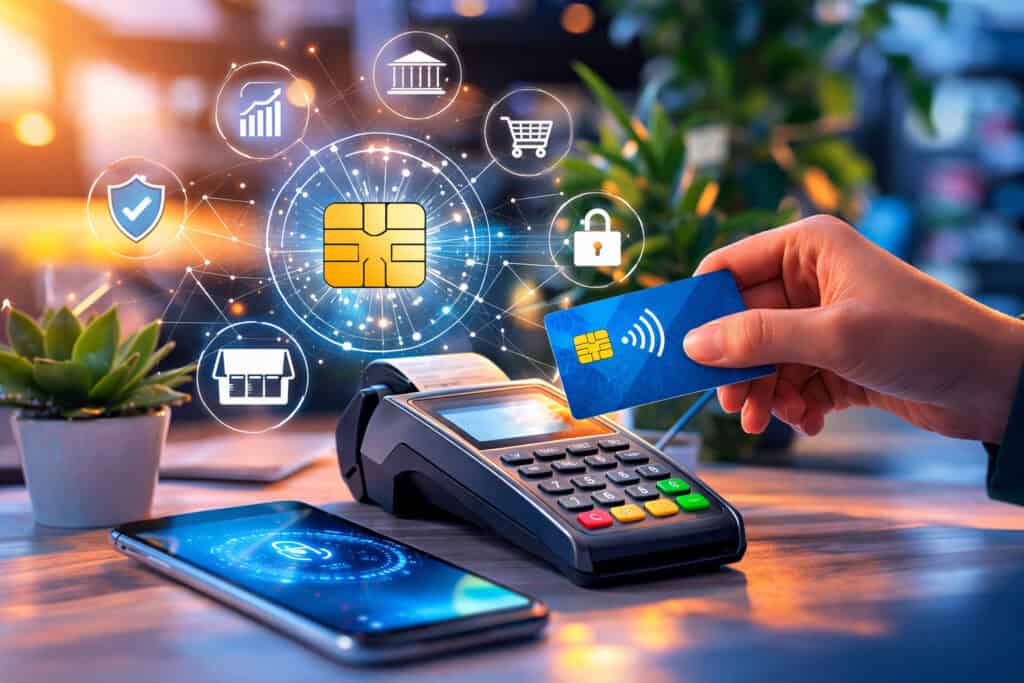
Businesses usually move toward EMV for a mix of security, compliance, customer experience, and operational reasons. Rarely is it just about keeping up with payment trends. More often, owners decide to upgrade because their current hardware feels outdated, their checkout process is too limited, or they want better support for secure card acceptance.
One of the strongest reasons to upgrade is fraud prevention. Chip-based transactions are designed to make counterfeit card fraud harder at the point of sale. If your business still depends heavily on swipe transactions, you may be exposing yourself to avoidable risk, especially in environments where card-present sales are common.
Another reason is customer trust. Shoppers notice the quality of your checkout equipment. A modern chip-enabled terminal signals that your business takes payment security seriously. It also aligns better with how customers expect to pay today, especially when they are carrying tap-enabled cards or using mobile wallets.
For many businesses, an EMV upgrade also helps support long-term payment modernization. Instead of only replacing an aging device, they use the opportunity to improve reporting, update POS integration, enable contactless payments, and streamline checkout.
In that sense, EMV compliance for businesses often becomes one part of a wider payment improvement plan.
Better security and reduced counterfeit card risk
The shift from magnetic stripe transactions to chip-based payments changed how in-person card security works. Stripe data can be copied more easily, which is one reason older swipe-only systems became a bigger concern over time.
EMV chip transactions reduce that risk by using more secure transaction methods that are harder to duplicate for counterfeit card fraud.
For a business owner, that matters because payment fraud does not only create direct losses. It can also lead to operational headaches, chargeback disputes, strained customer relationships, and more attention on your internal payment procedures. A more secure checkout environment helps reduce those disruptions.
EMV is not a replacement for PCI-related safeguards, secure networks, or staff awareness. It works best alongside broader security practices such as strong password management, software updates, encrypted data handling, and limited employee access controls. Still, it is an important piece of a safer card acceptance process.
If your checkout hardware is several years old and still leans heavily on swipe processing, it may be time to look at business payment security upgrades that bring your setup closer to current expectations. An EMV terminal upgrade is often one of the first and most practical steps.
Support for modern customer payment preferences
Payment behavior has changed. Customers increasingly expect a business to accept chip cards, tap-enabled cards, and mobile wallets without friction. If your terminal forces awkward workarounds, declines common payment types, or creates confusion about where to insert or tap a card, that experience can slow down checkout and reduce confidence.
Upgrading to EMV-enabled POS systems or newer terminals often improves the customer side of the transaction in small but meaningful ways.
Devices may have faster prompts, clearer screens, more reliable card reads, and support for email or text receipts. They can also reduce the need for employees to explain outdated equipment every time someone pays.
This matters in busy environments where speed and confidence affect the line. Retail counters, quick-service locations, front desk operations, and field service payments all benefit when the device works the way customers expect. Payment hardware is part of the customer experience, even if it is not the most visible part of your business.
Signs Your Current Payment Setup Needs an EMV Upgrade
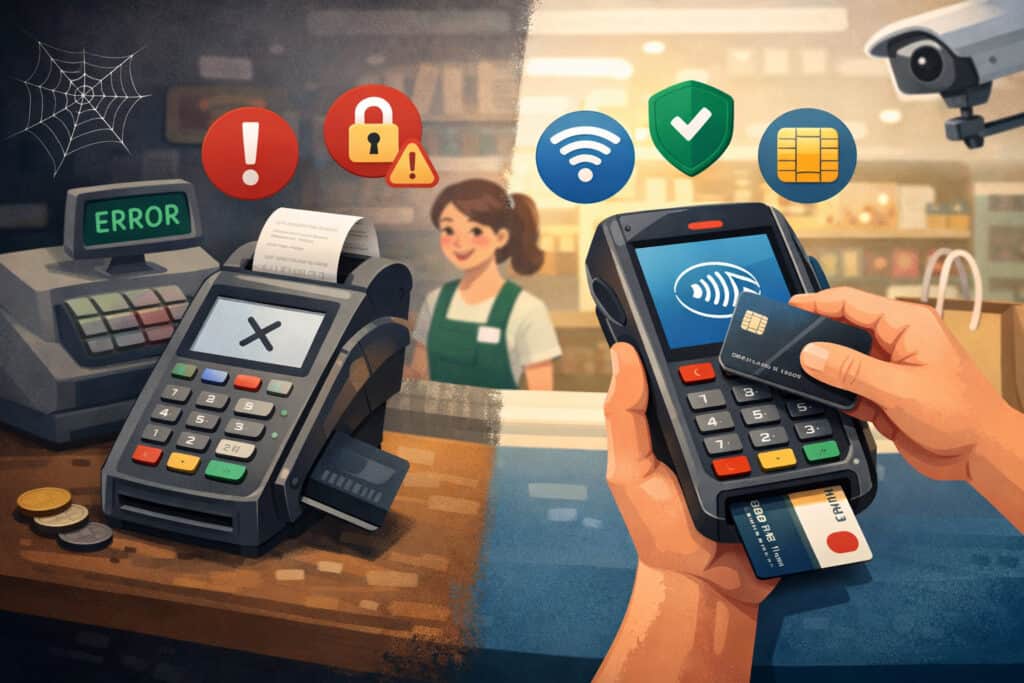
Some businesses know immediately that they need new payment hardware. Others keep working around device limitations for months or years because transactions still go through most of the time. The challenge is that a payment setup can continue functioning while still creating risk, friction, and missed opportunities.
If you are trying to decide whether now is the right time to upgrade credit card machines, it helps to look at the practical warning signs. These usually show up in daily operations before they show up in a formal payment review.
Slow terminals, unsupported software, limited payment options, and checkout confusion are all clues that your system may be due for an upgrade.
An EMV upgrade is not only for businesses with completely broken devices. It is also for businesses that have outgrown their current setup. Maybe you now need better reporting, portable checkout options, integrated inventory features, or support for digital wallets. If your payment tools no longer fit how you operate, it may be time to modernize.
Your equipment still relies mostly on swipe transactions
If your team routinely tells customers to swipe instead of insert or tap, that is a clear signal that your payment setup may be outdated. Some businesses still have terminals with partial chip capability, but the devices are not configured correctly, the processor settings are incomplete, or the chip reader is unreliable enough that employees default to swiping.
That kind of workaround creates several problems. It can increase fraud exposure, cause customer confusion, and make staff habits harder to change later. It also suggests your current solution may not be giving you the practical benefits of an actual EMV environment, even if the device technically has a chip slot.
Swipe-heavy workflows are especially concerning when they exist because of repeated terminal failures. If the chip reads time out, error messages appear often, or staff skip insert prompts because the process feels too slow, you may not just need minor troubleshooting. You may need a full EMV card reader setup review or a complete hardware replacement.
Businesses in this position often benefit from looking beyond a single device problem and reviewing the full payment chain: terminal model, processor support, connection type, POS compatibility, and software version.
Your POS software or processor no longer supports your hardware well
Payment hardware rarely operates alone. Even standalone terminals depend on processor support, firmware updates, and stable connectivity. Integrated POS environments rely even more heavily on compatibility between terminals, payment gateways, and business software. If one part falls behind, the whole checkout flow can suffer.
You may need an upgrade if:
- Your terminal model is no longer actively supported
- Your POS provider recommends newer certified hardware
- Software updates are not available for your current devices
- You cannot enable contactless acceptance without replacing equipment
- Receipts, reporting, or settlement processes have become inconsistent
- Your payment processor offers only limited help for legacy devices
These issues are often early signs that your setup is approaching the end of its useful life. Even if transactions still process, unsupported hardware can make future changes harder and more expensive. That is why many businesses treat modern payment hardware as an investment in smoother operations, not just a replacement cost.
Step-by-Step Guide to Upgrading to an EMV-Compliant Payment System
The best way to approach an EMV upgrade is with a clear sequence. Businesses run into trouble when they buy new devices first and ask compatibility questions later. A smoother path starts with reviewing your current environment, identifying business needs, and then matching hardware and software to those realities.
This step-by-step approach helps reduce disruption and lowers the risk of buying terminals that do not work well with your processor, POS software, or checkout flow. It also makes it easier to plan staff training and testing before the new equipment goes live.
Step 1: Review your current payment environment
Start by documenting what you use today. That means more than making a list of card machines. Look at the full payment setup, including processor relationships, terminal models, POS software, internet or cellular connectivity, receipt workflows, and any reporting or back-office tools tied to payments.
Ask practical questions such as:
- How do customers currently pay at the counter, table, office, or field location?
- Which devices are standalone, and which are integrated?
- Do you accept chip and contactless payments consistently?
- Are there pain points during checkout?
- Which staff members handle settlements, refunds, or end-of-day reconciliation?
- Are any integrations business-critical?
This review helps you avoid a common mistake: choosing hardware based on features without understanding how it fits your workflow. A business with one front counter has very different needs than a restaurant, a mobile technician team, or a multi-register retail floor.
Use this step to define your upgrade goals. Maybe you want better security, faster checkout, mobile payment flexibility, cleaner POS integration, or easier reporting. Those priorities should shape every equipment and software decision that follows.
Step 2: Confirm processor and software compatibility
Before choosing devices, confirm what your payment processor and software providers actually support. Many businesses assume any chip terminal will work with any processor or POS platform, but that is not how payment systems work in practice. Certification, integration, and supported device lists matter.
Contact your processor and ask for a current list of approved EMV-capable terminals and compatible software environments. If you use POS software, ask that provider which models are certified for your version and whether contactless features require additional setup. If you use a gateway or middleware layer, verify that as well.
This is one of the most important parts of an EMV credit card processing upgrade. A terminal may look perfect on paper but still create delays if it has not been tested or certified for your payment environment. Compatibility issues can lead to incomplete features, failed setup, or extra support calls during deployment.
Do not forget to ask about future support. A device that works today but sits near the end of its support cycle may not be the best long-term choice. You want hardware that fits your current operation and gives you room for future payment needs.
Step 3: Choose the right EMV-capable hardware
Once compatibility is clear, select the hardware that matches your checkout environment. The right device depends on how your business accepts payments, how much mobility you need, and whether you want a simple terminal or a more advanced POS-based experience.
Think about the physical realities of your business. Does the customer stand at a counter, pay at a table, sign in an office, or complete payment on-site at a job location? Is your team stationary or mobile? Do you need barcode scanning, receipt printing, inventory tools, or customer-facing screens?
Your hardware choices may include:
- Countertop terminals for front counter payments
- Wireless or mobile readers for field or line-busting use
- Smart terminals with app-based functions
- Fully integrated POS systems with payment acceptance built in
- Restaurant handhelds for tableside transactions
- Multi-lane devices for higher-volume retail environments
The best EMV-compliant payment systems for businesses are not necessarily the most advanced. They are the systems that fit the way your team actually works. A small office may need a reliable countertop device with invoicing support.
A busy retailer may need multiple networked terminals with deep POS integration. A mobile business may prioritize battery life, cellular connectivity, and easy digital receipts.
Step 4: Update software, firmware, and payment settings
New hardware alone does not complete the upgrade. Your payment applications, terminal firmware, POS settings, and communication parameters all need to align for EMV transactions to work correctly. This is the stage where some businesses discover that their installation is technically incomplete.
Work with your provider or installer to confirm:
- EMV functionality is enabled
- Contactless settings are activated if supported
- Terminal prompts are configured properly
- Tax, tip, and receipt settings match your workflow
- Payment application versions are current
- Back-office reporting syncs correctly
- User permissions and security settings are reviewed
If your business uses integrated POS software, check that updates are applied before you test live transactions. If you run a standalone terminal setup, confirm that settlements, batch close procedures, and refund workflows work as expected on the new devices.
This step is also a good time to review your broader payment processes. An EMV upgrade often reveals opportunities to simplify checkout, improve receipt options, or standardize staff procedures across locations.
Step 5: Test transactions before full rollout
Never assume a device is ready because it powers on and connects. Before launching new equipment across your business, test real transaction scenarios. That includes sales, refunds, voids, settlement routines, tip workflows where applicable, and both inserted and contactless card payments.
Your test plan should cover common situations your staff handles every day. If you run a restaurant, test tip adjustment and receipt printing. If you run a service business, test digital receipts and mobile connectivity. If you run retail, test barcode-related workflows and front counter speed during busy periods.
Testing helps catch issues such as:
- Chip cards not prompting correctly
- Tap payments not enabled
- Receipt settings missing key details
- POS totals not syncing properly
- Connectivity interruptions
- Signature or PIN prompts appearing incorrectly
- Settlement timing problems
Do not rush through testing. A thoughtful trial period reduces confusion on launch day and gives your team confidence that the new secure card payment systems are ready for real customer use.
Step 6: Train staff and refine the workflow
Even the best payment hardware can create friction if the team is not comfortable using it. Staff training is one of the most overlooked parts of an EMV upgrade. Employees need to know not only which buttons to press, but also how the payment flow changes when customers insert or tap instead of swipe.
Training should cover everyday scenarios, including:
- Starting a sale
- Prompting customers to insert or tap
- Handling chip read failures
- Processing refunds and voids
- Closing batches or end-of-day settlements
- Explaining contactless options to customers
- Recognizing when to call support
This is also the time to adjust your workflow. Maybe your old terminal sat behind the counter, but the new device needs to face the customer. Maybe tableside payment is now possible. Maybe digital receipts reduce printer use. Small workflow decisions can make the upgrade feel smoother and more natural.
Types of EMV-Compatible Terminals and POS Systems
Not every business needs the same kind of device, which is why the market includes several types of EMV chip card payment systems. The best fit depends on transaction volume, checkout style, mobility needs, integration requirements, and future plans.
Choosing the right form factor can make the difference between a payment tool that supports your operation and one that creates daily frustration.
A business with a fixed checkout station may value reliability and simplicity. A mobile business may care more about portability and battery life. A growing retailer may want an integrated system that handles inventory, customer management, and reporting in one place.
Countertop terminals and pin pads
Countertop terminals remain a practical choice for many front-counter businesses. They are often compact, reliable, and straightforward to deploy. Depending on the model, they may support chip insert, tap payments, receipt printing, customer prompts, and PIN entry in one unit or as part of a paired device setup.
These terminals are often well suited for:
- Retail counters
- Office front desks
- Specialty shops
- Service businesses with a fixed payment station
- Lower-complexity checkout environments
A countertop EMV terminal upgrade can be a smart choice when you want modern security and payment features without changing your full POS environment. Some businesses keep their existing business management software and simply replace the terminal layer with newer EMV-capable equipment.
That said, countertop devices vary a lot. Some are basic standalone terminals, while others work as customer-facing payment devices inside a larger POS setup. Check whether the unit supports your preferred connection type, receipt workflow, and processor certification before making a final decision.
Mobile readers, smart terminals, and integrated POS systems
Mobile readers are designed for businesses that accept payments away from a fixed counter. They pair well with phones, tablets, or dedicated mobile setups and are useful for delivery teams, pop-up sellers, contractors, events, and service professionals who need flexibility. A good mobile reader can bring chip card payment technology directly to the point of service.
Smart terminals take that concept further. These devices often include touchscreen interfaces, app support, digital receipts, tipping prompts, and lightweight business tools. They can serve as an all-in-one payment station for some businesses, especially those that do not need a full traditional POS layout.
Integrated POS systems are the most comprehensive option. They combine payment acceptance with broader operational tools such as inventory, employee permissions, sales reporting, menu management, or appointment handling. These systems often make sense for businesses that want a more unified checkout and back-office environment.
Each option has tradeoffs. Mobile readers can be flexible but may have fewer built-in features. Smart terminals can be sleek and useful but vary by processor ecosystem. Full POS systems can improve operations but usually require more planning, training, and investment.
Costs, Compatibility, and Setup Factors to Understand
One of the biggest questions businesses ask is how much an EMV upgrade will cost. The honest answer is that cost depends on the type of business, the number of devices, the software environment, and whether you are making a simple terminal swap or a broader payment system change.
Hardware is only one part of the equation. Setup, integration, software updates, accessories, networking, and staff time can all affect the real cost of the transition. That is why it helps to think in terms of total upgrade impact instead of terminal price alone.
If you are planning to upgrade to EMV payment system hardware, it is worth building a budget that includes both one-time and ongoing considerations. That gives you a clearer picture of what the transition will actually involve.
Hardware, software, and operational cost considerations
A simple countertop terminal replacement may be relatively manageable. A multi-device POS overhaul with integrated payments, receipt printers, scanners, and software migration will usually be more involved. Beyond upfront hardware cost, consider the broader operational factors that can affect your decision.
Key cost areas often include:
- Purchase or lease cost of terminals or POS devices
- Accessories such as stands, printers, barcode scanners, or cash drawers
- Software subscription changes
- Installation or onboarding fees
- Network or connectivity improvements
- Staff training time
- Temporary workflow slowdowns during rollout
- Support or integration costs for specialized systems
The lowest-priced device is not always the most cost-effective option. If it lacks key features, creates longer checkout times, or needs replacement sooner, it may cost more in the long run. Businesses should weigh cost against durability, workflow fit, support quality, and growth potential.
This is especially important when considering contactless payment terminals or integrated systems that may support additional revenue or efficiency benefits beyond basic EMV acceptance.
Connectivity, PCI-related security, and system fit
A payment terminal is only as reliable as the environment around it. Connectivity matters, especially for businesses that rely on Wi-Fi, cellular data, or cloud-based POS systems. A device that works perfectly in a demo may struggle in a building with weak coverage or unstable network equipment.
During planning, review:
- Internet stability at each payment location
- Need for Ethernet, Wi-Fi, or cellular support
- Battery and charging requirements for portable devices
- Offline transaction behavior if connectivity drops
- Security settings and user access controls
- PCI-related processes and responsibilities
- How payment data flows through your systems
An EMV upgrade should support stronger payment handling, but it should also fit into your wider security practices. Review password policies, admin access levels, software update routines, and who can manage device settings. Good payment security is rarely about one device alone.
Common Mistakes to Avoid During an EMV Upgrade
Many EMV projects go off track for predictable reasons. The good news is that most of them are avoidable with better planning. Businesses often focus on buying equipment quickly and only later discover that deployment, integration, and staff adoption require just as much attention.
Avoiding common mistakes can save time, reduce support calls, and make your EMV compliance for businesses feel like an improvement instead of a disruption.
Buying hardware before confirming compatibility
This is one of the most common errors in payment upgrades. A business sees a capable-looking terminal, orders it, and assumes it will work with the current processor or POS software. Later, they learn the model is not certified, key features are disabled, or the integration is incomplete.
This mistake can delay rollout and increase costs. It can also create confusion internally if the team assumes the new devices are ready but support teams say additional steps are needed. Compatibility should always come first.
Avoid this by confirming support across every key layer:
- Processor
- POS or payment software
- Gateway if applicable
- Terminal model
- Connection method
- Feature requirements such as tipping or contactless
When in doubt, get written confirmation from providers or request a supported equipment list before purchase.
Underestimating training and deployment details
Another common issue is assuming the new setup will be intuitive enough that formal training is unnecessary. Even a small change in terminal prompts, card insertion flow, or refund processing can confuse staff during busy periods. What seems obvious in a quiet office test may feel very different at a live checkout counter.
Incomplete training often leads to:
- Employees asking customers to swipe when they should insert
- Trouble handling failed chip reads
- Delays with refunds or voids
- Settlement errors at the end of the day
- Inconsistent customer instructions across shifts
Deployment details matter too. If one device is configured differently from another, or one location receives less setup support, your team may develop inconsistent habits that are hard to fix later.
A strong rollout includes standardized settings, practical hands-on training, and a clear support path for the first weeks after go-live.
Best Practices for a Smooth Transition to EMV Payments
A successful EMV upgrade is not just about technical readiness. It is about making the transition manageable for the business. The smoother the rollout, the faster your team adopts the new workflow and the more confident customers feel at checkout.
The best practices below help businesses move from old card acceptance tools to newer secure card payment systems with fewer disruptions and better long-term results.
Roll out with a business-first plan, not just a device checklist
The most effective upgrades start by asking what the business needs, not what device has the longest feature list. A small retailer, a busy restaurant, a field service company, and an office-based practice all have different checkout realities. Your upgrade plan should reflect those differences from the beginning.
For example:
- Retail stores may prioritize counter speed, barcode workflows, and receipt handling
- Restaurants may need tableside mobility, tip support, and durable handhelds
- Service businesses may value invoicing, portable readers, and digital receipts
- Mobile businesses may need battery life, cellular access, and lightweight devices
- Office-based businesses may care most about reliability, simplicity, and customer-facing professionalism
When you frame the project around real workflows, it becomes easier to choose the right equipment and avoid overbuilding. The right upgrade path is the one that supports your operation today while giving you room to grow without forcing another major change too soon.
Think beyond EMV and plan for broader payment flexibility
An EMV upgrade is often the best time to improve the rest of your payment ecosystem. If you are already touching hardware, software, and staff workflows, consider whether you also need better support for tap-to-pay, digital wallets, invoicing, reporting, or POS integration.
Many businesses now want a payment setup that connects card-present acceptance with broader tools such as:
- Customer purchase history
- Sales reporting dashboards
- Inventory systems
- Appointment platforms
- Email or text receipts
- Remote invoicing
- Multi-location visibility
This does not mean every business needs a full software stack overhaul. It means you should think carefully about how the new equipment fits into your wider business operations. A well-planned upgrade to EMV payment system hardware can become a practical foundation for broader modernization.
Frequently Asked Questions
Q.1: How do I know if my business already has an EMV-compliant payment system?
Answer: The easiest sign is whether your terminal or POS device reliably accepts inserted chip card transactions, not just swiped cards. But that alone may not confirm full EMV readiness.
A business can have a chip-capable device and still lack the proper processor setup, software version, or configuration needed for complete EMV functionality.
Check with your processor or POS provider for confirmation. Ask whether your current terminal model is fully supported for EMV transactions, whether contactless payments are enabled, and whether your software environment is current.
If your staff often bypass the chip reader because it is unreliable or confusing, your setup may need review even if the hardware appears capable.
Q.2: Do I need to replace my entire POS system to upgrade to EMV?
Answer: Not always. Some businesses can complete an EMV terminal upgrade by replacing only the payment device while keeping their existing POS or business management system.
Others may need a larger update if their software, processor connection, or hardware environment is too outdated to support modern payment features properly.
The answer depends on compatibility. If your current POS supports certified EMV devices and receives updates, a targeted hardware change may be enough. If your platform is aging, unsupported, or limited in payment features, a broader refresh may be the better long-term move.
Q.3: Can EMV-compliant systems also accept contactless payments?
Answer: Yes, many modern EMV chip card payment systems also support contactless card taps and digital wallets. In fact, businesses planning an upgrade often choose devices that combine chip insert, tap-to-pay, and mobile wallet acceptance in one terminal. That creates a better customer experience and helps future-proof the investment.
Still, not every EMV-capable device includes contactless by default, and some require specific activation or software support. Always confirm this during the buying process rather than assuming the feature is included.
Q.4: How long does an EMV upgrade usually take?
Answer: The timeline varies based on how simple or complex your environment is. A single standalone terminal replacement may move relatively quickly, while an integrated multi-device POS deployment can take more planning, testing, and staff training.
The practical timeline depends on hardware availability, processor setup, software configuration, and internal readiness.
The most important thing is not speed alone. A rushed rollout can create more downtime and confusion than a carefully planned deployment. Businesses usually benefit from scheduling testing, training, and staged activation instead of trying to switch everything at once without preparation.
Q.5: What are the most important things to check before buying new EMV equipment?
Answer: Compatibility should be the first priority. Confirm that the device works with your processor, gateway if relevant, POS software, and required features such as tipping, digital receipts, or contactless payments.
Beyond that, consider how the device fits your checkout environment, connectivity needs, staff workflow, and future growth plans.
You should also review support quality, replacement options, durability, and how easy the device is for customers to use. A terminal that looks advanced but slows down daily transactions may not be the right choice for your business.
Q.6: Is EMV enough to secure my payment environment?
Answer: EMV is important, but it is not the whole picture. It improves the security of in-person chip card transactions and helps reduce certain types of counterfeit card fraud. However, payment security also depends on software updates, secure networks, controlled user access, PCI-related practices, and staff awareness.
Think of EMV as one essential layer inside a broader payment security strategy. Businesses should pair EMV-enabled POS systems and chip-capable terminals with good operational controls and ongoing maintenance.
Q.7: Which type of business benefits most from an EMV upgrade?
Answer: Almost any business that accepts in-person card payments can benefit, but the exact value depends on the environment. Retail stores may gain better checkout security and support for tap payments.
Restaurants may benefit from modern handheld or tableside options. Service businesses can use mobile readers for on-site payments. Office-based businesses can present a more current and secure front-desk payment experience.
The real question is not whether your business type qualifies. It is whether your current setup still supports secure, efficient, customer-friendly card acceptance. If the answer is no, it is likely time to review your upgrade path.
Conclusion
Learning how to upgrade to an EMV-compliant payment system is really about making smart decisions across hardware, software, security, and workflow. The best upgrades are not driven by hype or device marketing. They are built around how a business accepts payments every day and what needs to improve.
An effective upgrade starts with a clear review of your current setup. From there, it moves through compatibility checks, hardware selection, software updates, testing, and staff training.
That process helps you avoid common mistakes, reduce checkout friction, and create a more secure payment environment that supports customer expectations.
For some businesses, the right answer is a simple EMV terminal upgrade. For others, it is a broader move toward integrated POS tools, contactless payment terminals, mobile checkout, and stronger reporting. The right path depends on your size, payment volume, service model, and future plans.
What matters most is choosing a solution that fits real operations. When you align the upgrade with your checkout environment, processor support, and team workflow, EMV-compliant payment systems for businesses become more than a compliance step. They become a practical improvement in security, trust, and day-to-day efficiency.
If your current setup still depends on swipes, creates checkout confusion, or limits modern payment options, now is a good time to assess what needs to change.
A thoughtful EMV credit card processing upgrade can help you move forward with more confidence, stronger payment acceptance, and a system that is better prepared for the way customers want to pay.