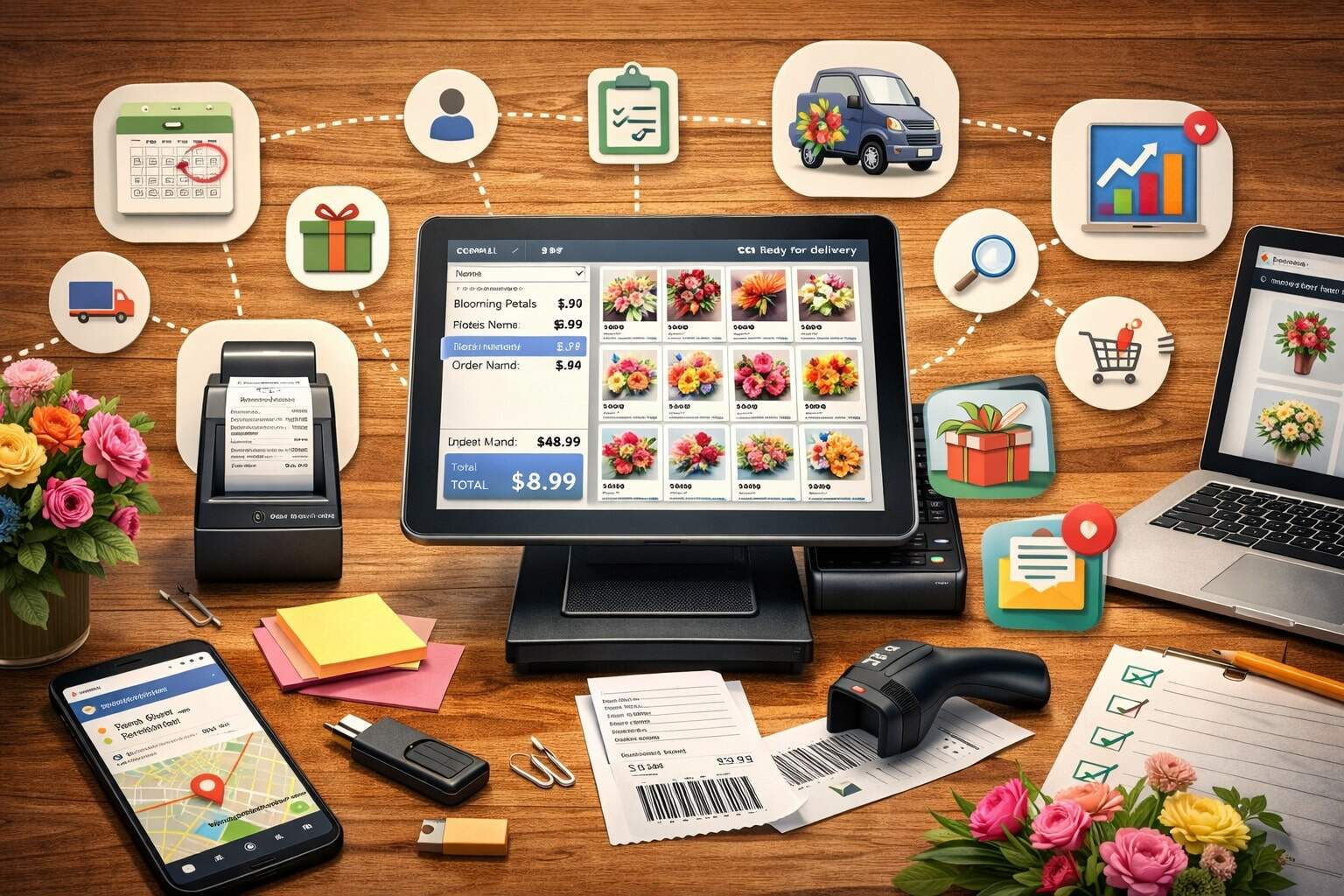
A flower shop is a “speed + accuracy” business disguised as a creative one. You’re juggling perishable inventory, custom designs, timed deliveries, walk-in rushes, phone orders, weddings, sympathy arrangements, last-minute substitutions, and customers who expect a flawless experience—every time.
That’s why choosing the right florist POS isn’t just about taking card payments. The right system becomes the operational backbone that keeps margins healthy, designs consistent, and delivery promises realistic.
This guide breaks down the POS features for florists that matter most in day-to-day retail, events, and delivery-heavy operations. You’ll also see what’s changing in payment security and faster payments, plus practical future predictions so your investment doesn’t feel outdated in a year.
Throughout this article, you’ll see the phrase florist POS features often—because that’s the lens we’ll use to evaluate what “good” looks like for modern flower businesses.
Why Florists Need Specialized POS Features

Generic retail POS systems can ring up a bouquet and print a receipt, but florists don’t sell “one SKU equals one item.” You sell designs with components, substitutions, labor, timing, and delivery constraints.
That’s why florist POS features must handle three realities that most industries don’t face at the same intensity: perishability, customization, and deadlines.
First, perishability forces better visibility. If the POS can’t track stems, vase counts, ribbon usage, and incoming deliveries from wholesalers, you end up over-buying “just in case” or under-fulfilling and scrambling with substitutions.
Second, customization demands structure. You can’t rely on memory or handwritten notes when multiple designers are building arrangements across shifts. A modern florist POS must capture recipe-level details and production notes so the design the customer approved is the design that gets built.
Third, deadlines make mistakes expensive. A late delivery isn’t a minor inconvenience; it’s a ruined moment—anniversary, funeral, corporate event, or wedding. The best POS features for florists connect order entry to fulfillment steps (design, staging, driver assignment, proof of delivery) so you can see risk before it becomes a complaint.
The payoff is measurable: fewer remakes, tighter purchasing, smoother peak days, faster checkouts, better reviews, and higher repeat rates. A POS is no longer “the register.” For florists, it’s your workflow engine.
Core Checkout and Payment Acceptance Features

Fast, Flexible Checkout for Walk-Ins and Phone Orders
Checkout speed matters because florists have bursty demand—lunch breaks, weekends, holidays, and the “I need something in 15 minutes” crowd. Your florist POS should support quick search, barcode/PLU scanning where relevant, and one-tap add-ons like chocolates, balloons, cards, vases, or upgrades.
Flexibility matters as much as speed. Many shops still take phone orders for deliveries and sympathy arrangements. Your POS should make it easy to capture recipient address, delivery instructions, card message, and “do not substitute” notes without turning the order screen into a mess. Look for smart defaults, templates, and required fields that prevent missed information.
The most useful florist POS features also reduce friction at the counter: customer lookup, saved profiles, and stored preferences (“likes lilies,” “no fragrant flowers,” “prefers modern designs”). This is how you ring up faster while still feeling personal.
Finally, checkout should support multiple scenarios: full payment, deposits, partial payments, pay-later for approved house accounts, and split tenders (card + cash + gift card). Florists who do events especially need flexible payment logic so they can book the date now and collect the balance later—cleanly.
Modern Payment Methods, Digital Receipts, and Tips
Card acceptance is table stakes—but customers increasingly expect tap-to-pay, mobile wallets, and clean digital receipts. The best florist POS features support contactless payments and receipts via email or text so customers can easily track orders and re-order.
If you do deliveries, pay-by-link is also valuable: you can text a secure payment link for last-minute orders or corporate clients without taking card details over the phone. This reduces errors and improves security hygiene.
Tip prompts can be helpful in some florist models (especially when staff provides consultative service or rush fulfillment). If you enable tips, make sure your POS supports clear tipping rules and reporting so you’re not creating payroll confusion.
Future-facing note: “phone-as-terminal” style options (sometimes called softPOS) are expanding in many markets, letting staff take payments anywhere in the shop without an extra device. The broader trend is clear: payment acceptance is becoming more mobile and less tied to a single counter.
Inventory and Recipe Management That Matches How Florists Work

Ingredient-Level Inventory: Stems, Bundles, and Hard Goods
If your inventory is tracked only as “bouquet A” and “bouquet B,” you’ll struggle to understand true costs and waste. Florists benefit from inventory that can track ingredients: stems, greens, fillers, containers, foam, ribbon, picks, and seasonal add-ons.
Strong florist POS features let you receive inventory from wholesalers, adjust for spoilage, and see what’s available in real time. You may not need perfect stem-by-stem tracking for every shop, but you do need enough structure to answer basic questions confidently:
- Do we have enough white roses for tomorrow’s orders?
- How many vases are left for the holiday design?
- Which products are costing more this month due to supply price changes?
Many florist-focused platforms emphasize recipe/stem workflows and accurate ordering support (for example, event-focused tools highlight recipe creation and material ordering capabilities).
Recipe Building and “Design Consistency” Controls
Recipes are not just for events. They’re your consistency system. When your POS supports recipes, you can standardize best sellers, train new designers faster, and maintain quality even during peak volume.
Recipe features should include:
- Ingredient lists (with substitution rules)
- Labor/time estimates
- Photos and build notes
- Seasonal variants (winter vs. summer availability)
- Costing based on last purchase price or weighted average
This is one of the most underrated florist POS features because it directly reduces remakes. A remake isn’t just wasted stems—it’s time, delivery rework, and reputation damage.
Even if you prefer creative flexibility, recipes don’t remove artistry; they give your team a consistent starting point, especially when multiple staff members touch the same order.
Order Management for Delivery, Pickup, and “Timed Moments”

Delivery Scheduling With Capacity Rules
Delivery is where florist operations either shine or collapse. Your POS should treat delivery like a schedule, not a text note. Key POS features for florists include delivery routing, delivery zones, fees by zone, time windows, blackout periods, and realistic capacity rules.
Capacity rules matter: How many deliveries can you do per hour with your current drivers? How many “must arrive before noon” orders can you realistically promise on a holiday? Your POS should help enforce those limits at checkout, so you don’t oversell and apologize later.
Florist software vendors commonly emphasize delivery management as a core capability for flower shops.
Proof of Delivery and Customer Communication
Customers don’t just want delivery—they want certainty. Proof of delivery (POD) can include a timestamp, photo, signature (when appropriate), and a status update (“delivered to front desk,” “left with neighbor,” “no answer—called recipient”).
The best florist POS features automate notifications: order received, in design, out for delivery, delivered. This reduces “Where is it?” calls, which is one of the biggest hidden time drains in delivery-heavy florist businesses.
Also look for communication tools that store conversation history: when someone calls about a change to a card message, that detail should attach to the order so the team sees it immediately.
Pickup Workflows and Curbside Options
Pickup orders can be deceptively disruptive because they look easy—until you’re slammed. A good POS should support:
- Pickup time slots
- “Ready for pickup” notifications
- Customer verification (name + phone + order number)
- Staging labels and shelf locations
These florist POS features keep the front counter calm and prevent mix-ups, especially when multiple pickups are scheduled in the same hour.
Customer Management and Retention Features Florists Actually Use
CRM Profiles, Reminders, and Re-Order Convenience
Florist retention is often relationship-based: birthdays, anniversaries, corporate gifting, condolence patterns, and “same bouquet every month” subscriptions. Your POS should remember key information and make re-ordering simple.
High-value florist POS features include:
- Customer profiles with preferences and notes
- Saved addresses and recipient lists
- Order history with one-click reorder
- Automated reminders (“anniversary coming up”)
- Subscription billing and scheduling (if that’s your model)
When the POS makes repeat orders effortless, customers come back—not because of a loyalty gimmick, but because it’s convenient.
Loyalty Programs and Gift Cards
Gift cards are a florist staple. The POS should support digital and physical gift cards, balance checks, and redemption with clean reporting. If you offer loyalty, keep it simple: points, spend-based tiers, or “buy X, get Y” promotions that won’t confuse the staff during rushes.
Crucially, promotions and loyalty should be controlled by permissions—so discounts don’t leak margins. A florist POS is not only a sales tool; it’s a guardrail system.
Event and Wedding Features That Protect Your Profit
Proposal, Contract, and Deposit Workflows
Weddings and events can be your highest revenue and biggest risk. A POS that supports event workflows helps you avoid scope creep and pricing confusion.
Event-ready florist POS features include:
- Proposal creation with itemized designs
- Versioning (so changes are tracked)
- Contract and e-signature support (or integration)
- Deposit schedules and due-date reminders
- Payment collection tied to milestones
Florist-focused tools in the market frequently highlight proposal creation and event workflow management as core capabilities.
Costing, Margin Targets, and Substitution Control
Events can look profitable until you calculate labor and waste. Your POS should support:
- Recipe-level costing
- Labor estimates per piece
- Margin targets
- Wholesale order planning from the final proposal
- Substitution approvals (who can approve changes)
This is where POS features for florists directly protect profit. When a team can see real-time costs against the proposal price, you reduce the “we undercharged” surprise after the event.
Also, event clients often require precision. Your POS should allow “no substitutions” flags and clear notes per item. In peak seasons, that clarity is the difference between a smooth install and an expensive scramble.
E-Commerce and Omnichannel Features for Modern Florists
Website Orders That Flow Into the Same System
If online orders print to an email inbox and someone manually re-enters them, you’re burning time and increasing error rates. Strong florist POS features integrate e-commerce so online orders appear in the same order queue, with the same delivery scheduling rules and inventory logic.
Some florist platforms position themselves as all-in-one solutions across POS and florist websites, reflecting how common this integration has become.
For ranking and customer experience, your website should also support:
- Product variants (size upgrades)
- Add-ons
- Delivery date selection with capacity controls
- Clear fees and policies
The POS side should support real-time order status so customers aren’t calling to confirm.
Marketplaces, Phone Orders, and Social Selling
Many florists sell through multiple channels: walk-in, phone, website, social DMs, and sometimes third-party marketplaces. The key is consolidated operations. Your florist POS should unify:
- Order intake (all channels)
- Inventory usage
- Customer history
- Reporting
A fragmented setup creates double-selling inventory and inconsistent customer experiences. Omnichannel is not a buzzword for florists—it’s a practical requirement.
Reporting, Analytics, and What to Measure Weekly
Sales, Product Mix, and Seasonal Forecasting
Reporting is where you turn “busy” into “profitable.” At minimum, florist POS features should provide:
- Daily sales summaries by channel
- Category performance (arrangements, plants, gifts, delivery fees)
- Top sellers and attach rates (how often add-ons are purchased)
- Average ticket size
- Peak ordering times
For florists, seasonal forecasting matters too. You should be able to compare holiday performance year over year and plan staffing and purchasing accordingly. If your POS can’t slice data by time period and category, you’ll rely on gut feel—and gut feel is expensive in perishables.
Labor, Discounts, and Margin Leakage
A shop can be “up in sales” but down in profit due to overtime, discounts, and waste. Useful florist POS features include:
- Discount reporting by employee and reason codes
- Refund and void tracking
- Labor cost inputs (even if approximate)
- Product-level gross margin estimates
When you review these weekly, patterns show up quickly: which items are underpriced, which promotions are too aggressive, and where training is needed at the counter.
Security and Compliance Features You Can’t Ignore
Payment Security That Matches Current Standards
Florists are not immune to fraud and data risks. Your POS should support EMV, tokenization, and strong access controls. You also need vendor practices that align with evolving card security expectations.
A key compliance milestone: PCI DSS v4.0 introduced future-dated requirements that became mandatory on March 31, 2025, pushing many merchants and providers to tighten controls and modernize security practices.
What this means in practical florist POS terms:
- Avoid outdated terminals and unsupported software
- Use unique logins (no shared “register” accounts)
- Apply role-based permissions (cashier vs. manager)
- Keep systems patched and vendor-supported
- Reduce manual card entry when possible
If a POS vendor can’t clearly explain how they support modern security requirements, treat that as a red flag.
Permissions, Audit Trails, and Cash Handling Controls
Florist POS features should include:
- Role-based access (voids, refunds, discounts)
- Audit logs for changes
- Cash drawer reconciliation
- Shift reports by employee
These aren’t “big enterprise” features. They’re what keep small businesses safe, consistent, and accountable—especially when staffing increases during peak holidays.
Integrations Florists Benefit From Most
Accounting, Payroll, and Tax Setup
At minimum, your POS should integrate with accounting software or export clean data. Florists often have complex sales tax scenarios (especially around delivery fees, product categories, and local rules), so the POS should support configurable tax rates and exemptions where needed.
Even if you don’t automate everything, your reporting should be clean enough that bookkeeping doesn’t become a monthly crisis.
Delivery Tools, Messaging, and Customer Support
Integrations that often pay off quickly:
- Route optimization (if not built-in)
- Text/email notification platforms
- Helpdesk or shared inbox systems
- Inventory ordering support for wholesalers
The goal is operational continuity: orders come in, designs get built, deliveries go out, customers get notified, and everyone can see the status without chasing paper.
Faster Payments and Cash-Flow Features Florists Should Watch
Same-Day Bank Transfers and What’s Changing
Florists who do events, corporate accounts, or large holiday volumes care about cash flow. Faster bank payments can reduce the “waiting game” between sale and usable funds.
Same Day ACH has had a per-payment limit of $1 million since the 2022 increase, and Nacha has recently signaled interest in exploring another potential limit increase through a request for comment.
This matters because higher limits and broader adoption can make bank-to-bank transfers more practical for larger invoices, corporate clients, and event retainers.
Real-Time and QR-Initiated Payment Trends
QR-based payment initiation is also being positioned as a bridge between faster payments and point-of-sale experiences, with industry groups discussing how QR can help solve “last mile” faster payment initiation at checkout.
For florists, the practical takeaway is this: over the next few years, you’ll likely see more customers pay via “scan and pay” or pay-by-link flows, especially for remote orders and corporate clients.
Your florist POS features should be adaptable—through integrations or vendor updates—so you can add new payment types without changing your entire workflow.
Future Predictions for Florist POS Features
Florist POS technology is moving in a few clear directions:
- More workflow automation, less manual entry: Systems will continue to add smart defaults, templates, and guided order entry that reduces forgotten details (card messages, delivery notes, substitutions).
- More “inventory intelligence:” Expect more recipe-based purchasing guidance and spoilage tracking, especially as supply costs fluctuate. Florists will demand clearer profitability signals per design, not just per ticket.
- More mobile operations: Counter-only checkout will keep fading. Mobile payments, in-shop consultations, and at-venue event changes require POS access anywhere. SoftPOS-style models and mobile-first order management will keep growing as hardware gets more flexible.
- More security pressure: Standards and expectations won’t get looser. With PCI DSS v4.0 requirements now mandatory as of March 31, 2025, vendor support, patching, and strong authentication will become a bigger part of “which POS should I buy?” decisions.
- More customer convenience: Re-ordering, subscriptions, reminders, and frictionless payment links will become common expectations—not premium features.
If you choose a POS now, choose one that is actively updated, supports integrations, and clearly invests in compliance and workflow improvements.
FAQs
Q.1: What are the most important florist POS features for a small flower shop?
Answer: The most important florist POS features are fast checkout, delivery scheduling, customer profiles, and basic inventory visibility. If you do deliveries daily, prioritize delivery zones, time windows, POD, and automatic customer notifications. If you do events, prioritize proposals, deposits, and recipe-based costing.
Q.2: Do florists really need recipe management in a POS?
Answer: Yes—recipe management is one of the most valuable POS features for florists because it standardizes best sellers, speeds training, improves consistency, and helps track costs. Even if you allow substitutions, recipes provide a reliable baseline that keeps quality high under pressure.
Q.3: How do I know if a POS is secure enough for card payments?
Answer: Look for EMV support, tokenization, unique user logins, role-based permissions, and vendor support/updates. Also ask how the provider aligns with PCI DSS v4.0 expectations—especially since new requirements became mandatory on March 31, 2025.
Q.4: What delivery features matter most in florist POS systems?
Answer: The best florist POS features for delivery include zoning and fee rules, capacity limits, route planning (built-in or integrated), driver assignment, POD, and proactive delivery status messaging. These features reduce late deliveries, customer calls, and costly remakes.
Q.5: Should a florist POS include e-commerce, or is integration enough?
Answer: Either can work, but the key is a single operational flow. Online orders should feed into the same system with the same delivery rules, inventory logic, and reporting. Many florist platforms now position POS + website integration as a standard approach because it eliminates re-entry and errors.
Q.6: Are faster bank payments relevant to florists?
Answer: They can be—especially for events and corporate clients. Same Day ACH already supports higher-value payments (with a $1 million per-payment limit since 2022), and Nacha is exploring a potential increase via industry feedback. Over time, faster payments and QR-initiated flows may become more common for remote orders and invoices.
Conclusion
A florist’s success depends on artistry—but profitability depends on operational control. The right system isn’t just a register; it’s a set of florist POS features designed around perishables, customization, and deadlines.
When your POS supports recipe-level detail, smart delivery scheduling, clean customer history, and reliable reporting, you stop fighting fires and start running a scalable operation.
As you evaluate options, keep returning to the same question: do these POS features for florists reduce mistakes, save time, protect margins, and improve the customer experience? If yes, you’re buying leverage. If not, you’re buying another screen your team will work around.
Finally, future-proof your decision. Security standards are tightening (with PCI DSS v4.0 requirements becoming mandatory on March 31, 2025), payment methods are evolving, and customer expectations keep rising.
A POS that is actively updated, integration-friendly, and built for florist workflows will keep paying you back—season after season, holiday after holiday, and event after event.